
Only what you’d note anyway. Stroke by stroke, for the whole flight.
Three scores run along. Gross, net and Stableford, with nothing to choose.
What stays is the day. A photo, a note, the round to find again.
gaho auf einen Blick
gaho at a glance
- Wofür
- gaho ist eine Golf-Scorecard. Sie rechnet Brutto, Netto und Stableford für den ganzen Flight gleichzeitig und hält jede Runde mit Foto, Notiz und Mitspielern fest.
- Android
- Läuft auf Telefonen ab Android 8.0 und ist bei Google Play erhältlich.
- iPhone
- Läuft ab iOS 17 und erscheint bald im App Store.
- Kaufmodell
- Nur ein Teil kostet etwas, als einmaliger Kauf ohne Abo. Der Preis steht vor dem Kauf in der App. Der Kaufknopf erscheint erst, wenn eine eigene Runde mit Lochdaten festgehalten ist.
- Konto
- gaho braucht kein Konto und keine Anmeldung.
- Internet
- gaho wird ohne Netz gespielt und gerechnet. Auf dem iPhone sucht „Platz online suchen“ neue Plätze im Netz; auf Android fordert gaho keine Internet-Berechtigung an.
- Daten
- Runden, Fotos und Unterschriften bleiben auf dem Gerät. Kein Server von thadwi studio, keine Werbung, kein Tracking.
- Purpose
- gaho is a golf scorecard. It scores gross, net and Stableford for the whole flight at once and keeps every round with photo, note and fellow players.
- Android
- Runs on phones with Android 8.0 or later and is available on Google Play.
- iPhone
- Runs on iOS 17 and later and is coming soon to the App Store.
- Pricing
- Only one part costs anything, as a one-time purchase without a subscription. The price is shown in the app before you buy. The purchase button appears only once one of your own rounds with hole data has been recorded.
- Account
- gaho needs no account and no sign-in.
- Internet
- gaho is played and calculated without a connection. On iPhone, “Search course online” looks up new courses online; on Android, gaho does not request internet permission.
- Data
- Rounds, photos and signatures stay on the device. No thadwi studio server, no ads, no tracking.
Capture the round.
Pick a course, put together your flight, and play. You only record what you’d keep on paper anyway.
Three steps to the first tee.
- CourseFrom your courses. Search for new ones or create them yourself: with 9 or 18 holes, or as a short course.
- FlightYou and your fellow players. Each with their own handicap, from 0 to 54 in whole numbers.
- ScorecardHole by hole. After the last hole you tap “Complete card ✓”.
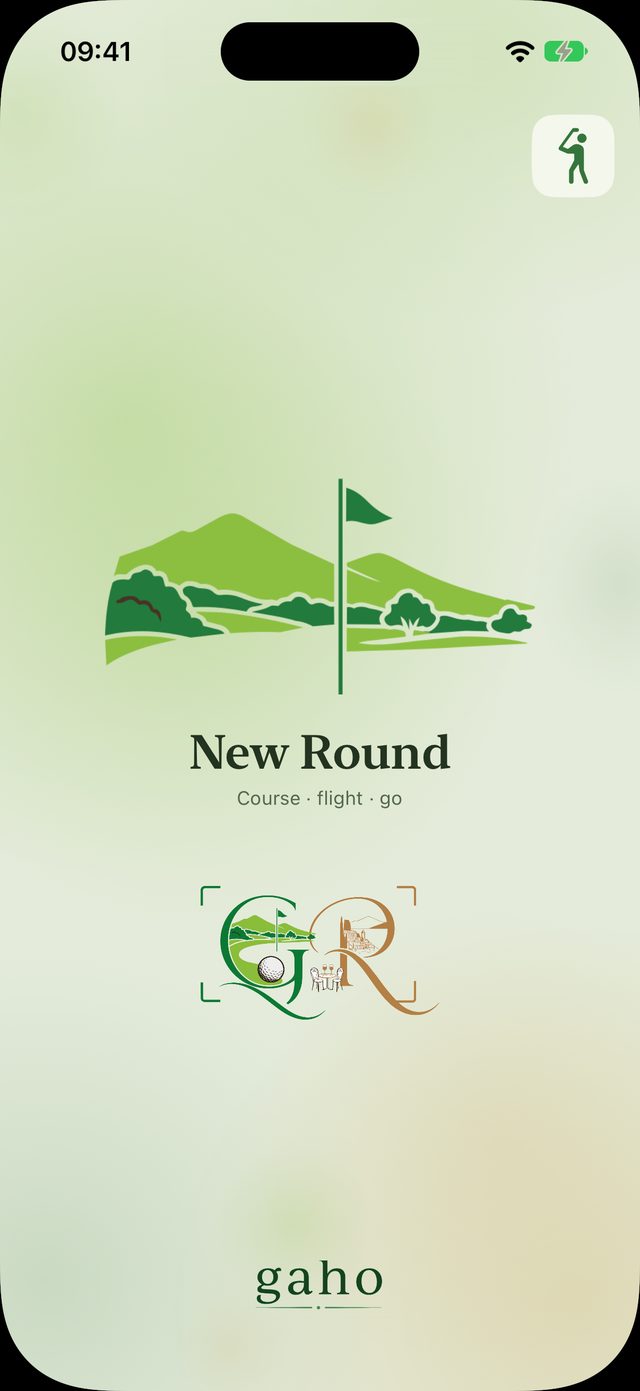
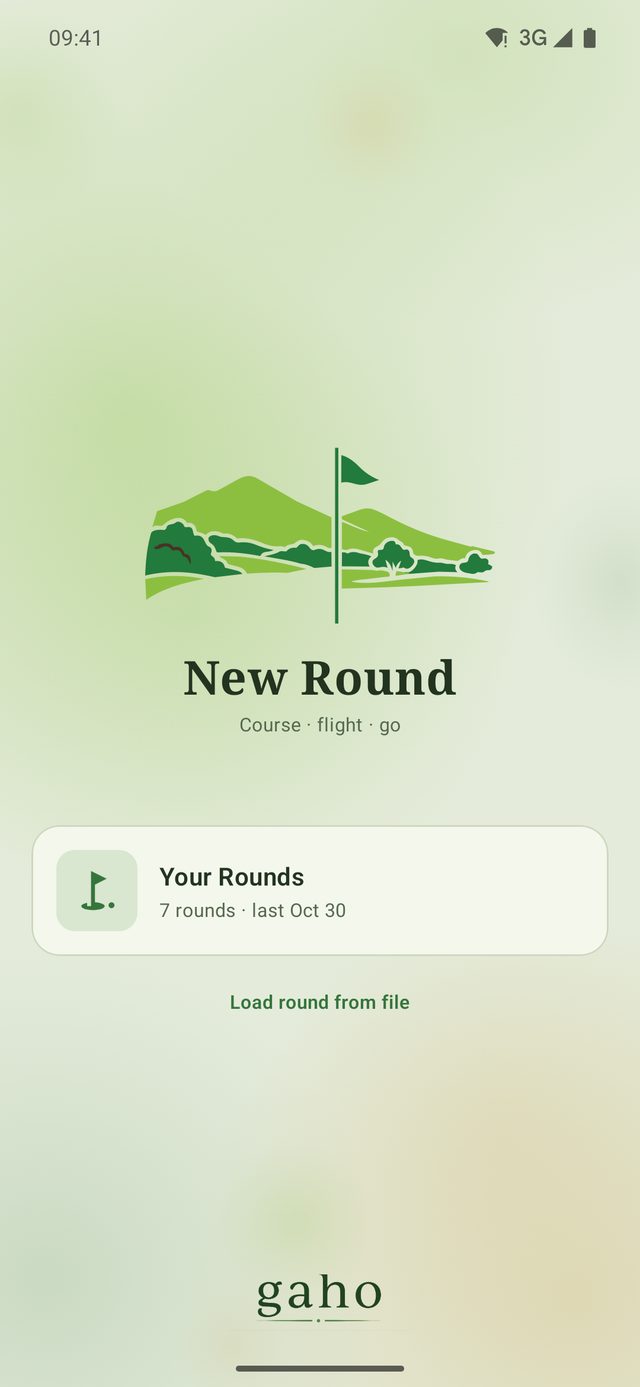
There is no account and no setup. After opening the app you are on the start screen.
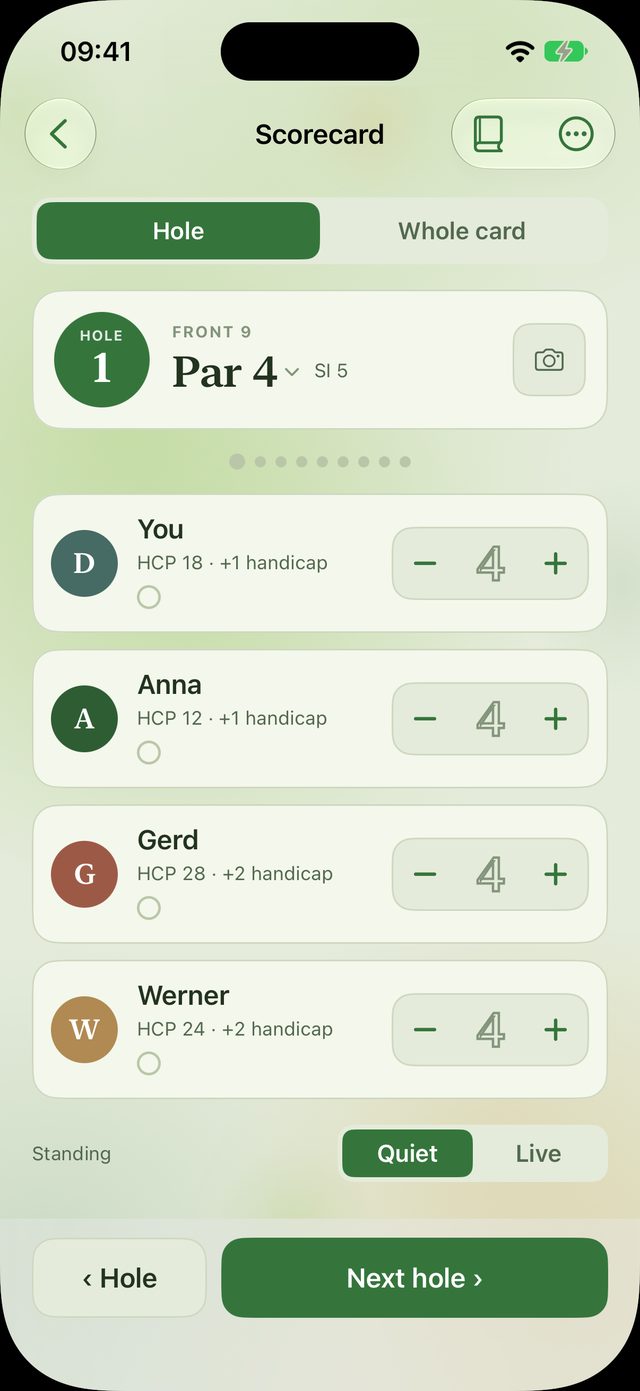
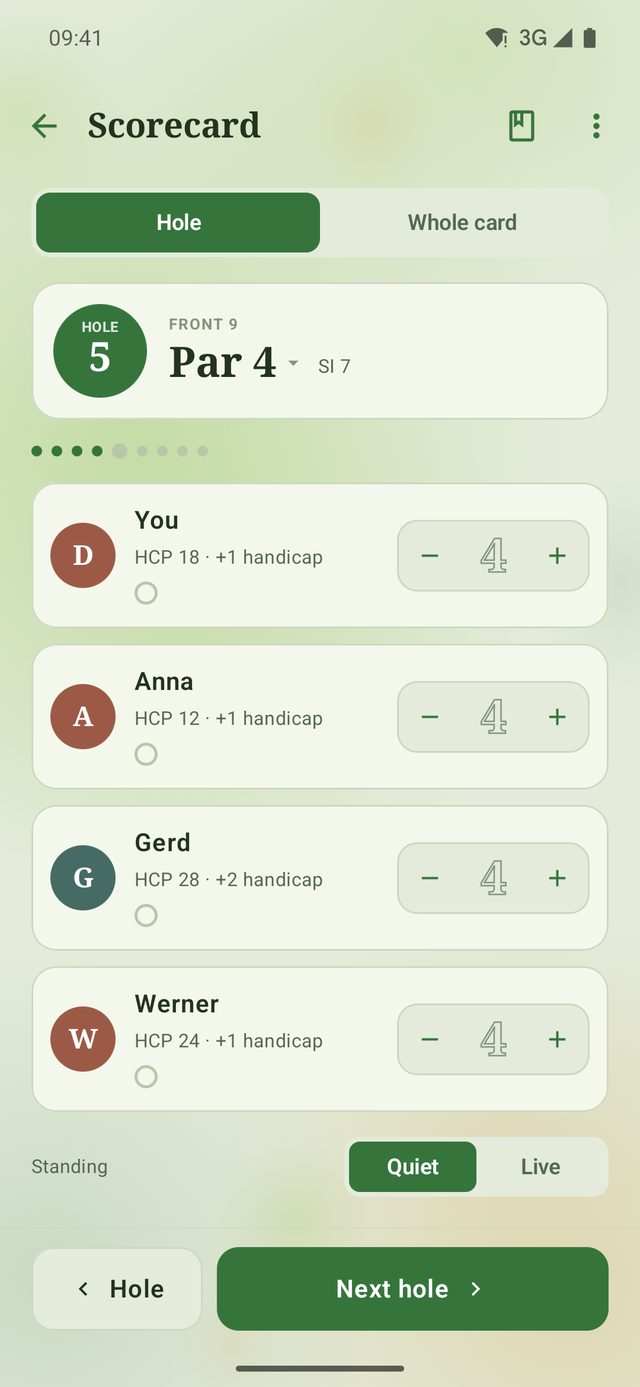
The middle is par. Tap the number to enter par. “−” starts one stroke below, “+” one above.
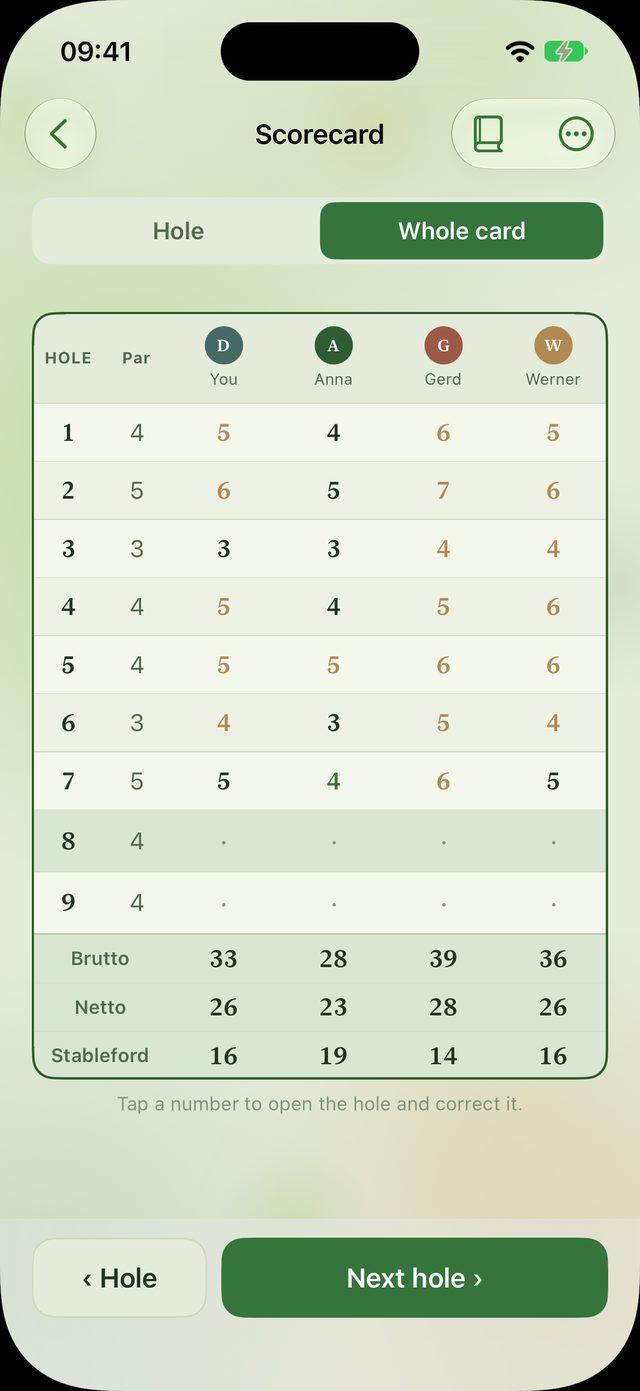
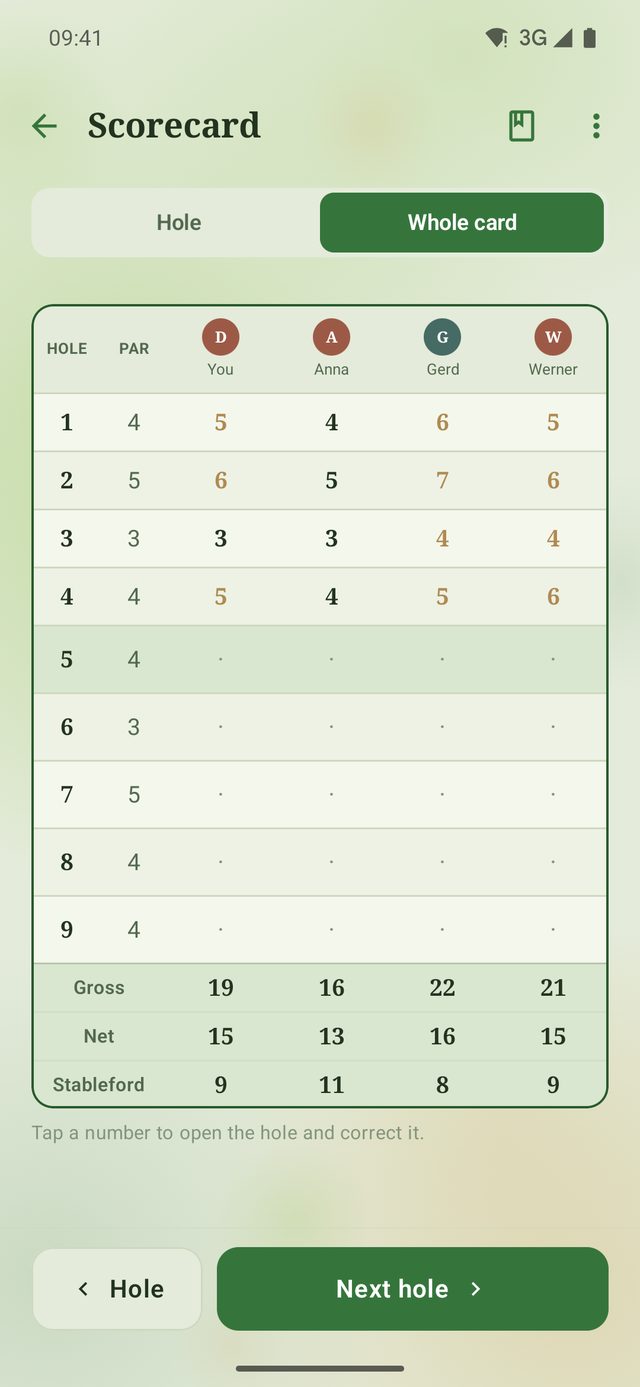
The whole card. All holes and the totals for gross, net and Stableford. Tap a number to open the hole and correct it.
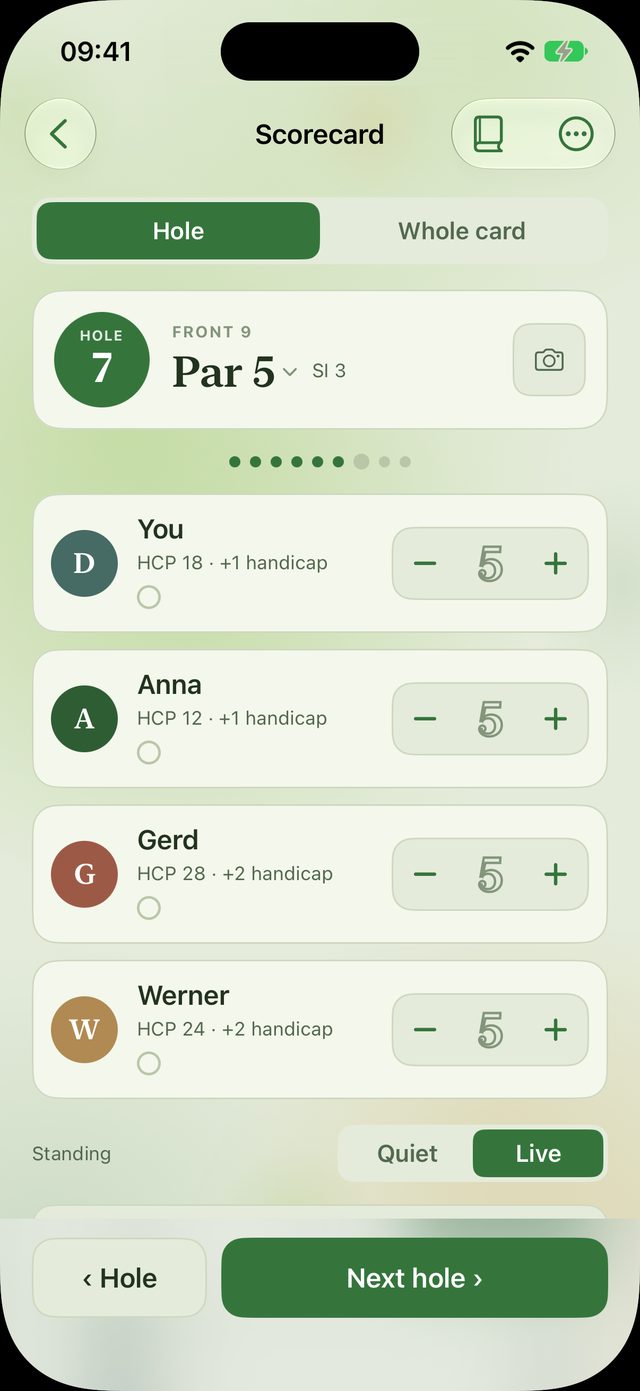
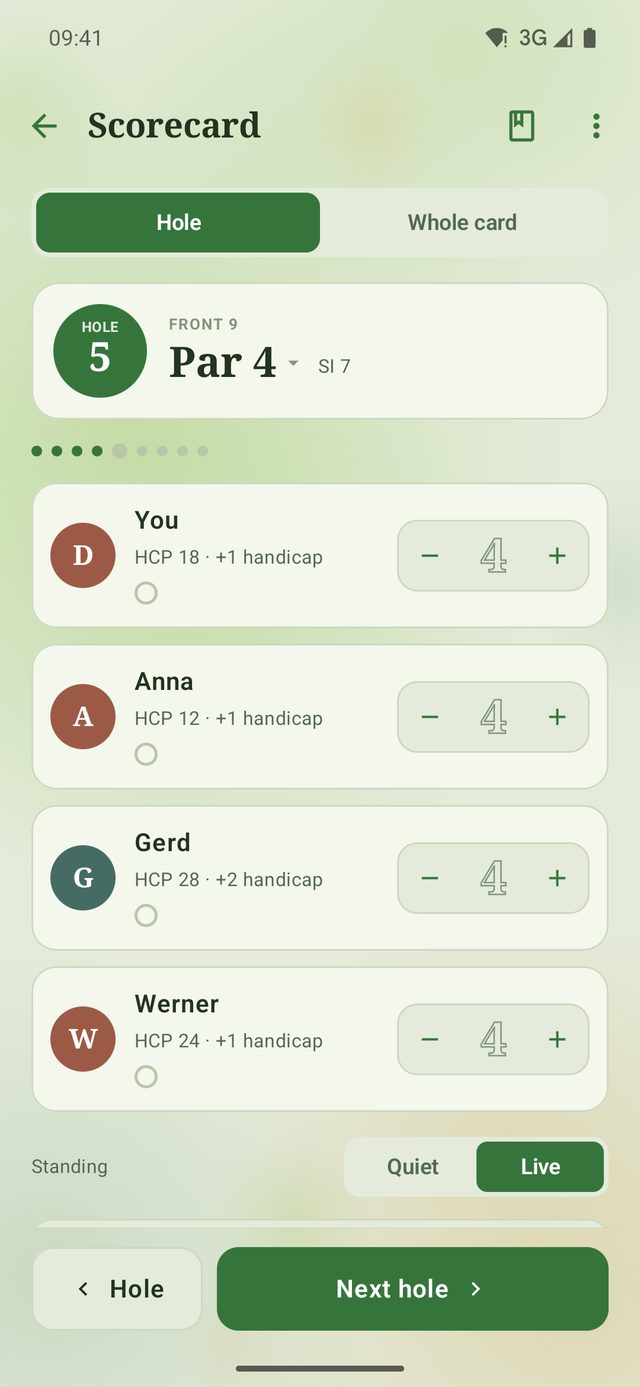
Quiet or Live. You only see the standing if you want to. “Live” shows the ranking by gross, net or Stableford.
Score from the lock screen.
A Live Activity starts along with the scorecard. You tap in the strokes right on the lock screen, without unlocking. The phone barely leaves your pocket.During the round, gaho shows a silent notification. Expand it and enter the strokes right there. The phone barely leaves your pocket.
Less menu, more golf.
- PlayersUp to five. Each with initial, minus, number and plus. The middle is par.
- HoleOne button finishes the hole. If you count putts, they follow as a second step.
- AppEverything flows back. When you open gaho, the values are on the scorecard.
- PlayersFour at a glance. You enter further players in the app.
- HoleOne button finishes the hole. It names par and hole, for example “Par 3 · hole 1 done ›”.
- On, offSwitched on from the start. In the round’s menu you turn the lock-screen score off and on again.
The Live Activity also appears in the Dynamic Island.On Android 13 and later, gaho asks once for permission to send notifications when you first open a scorecard.
Honestly tallied.
Gross, net and Stableford always run together. You don’t pick a scoring format beforehand. At the end the whole round is there, every hole traceable. How Stableford works.
One hole, three scores.
- You only enter the strokes. Tap “−” and “+” and see what changes.
- Net subtracts the handicap strokes. How many a player gets on this hole is shown below their name.
- Stableford turns that into points. Net par scores 2 points. It never goes below 0.
Gerd: 6 strokes, 2 handicap strokes, net 4. That is net par: 2 points.
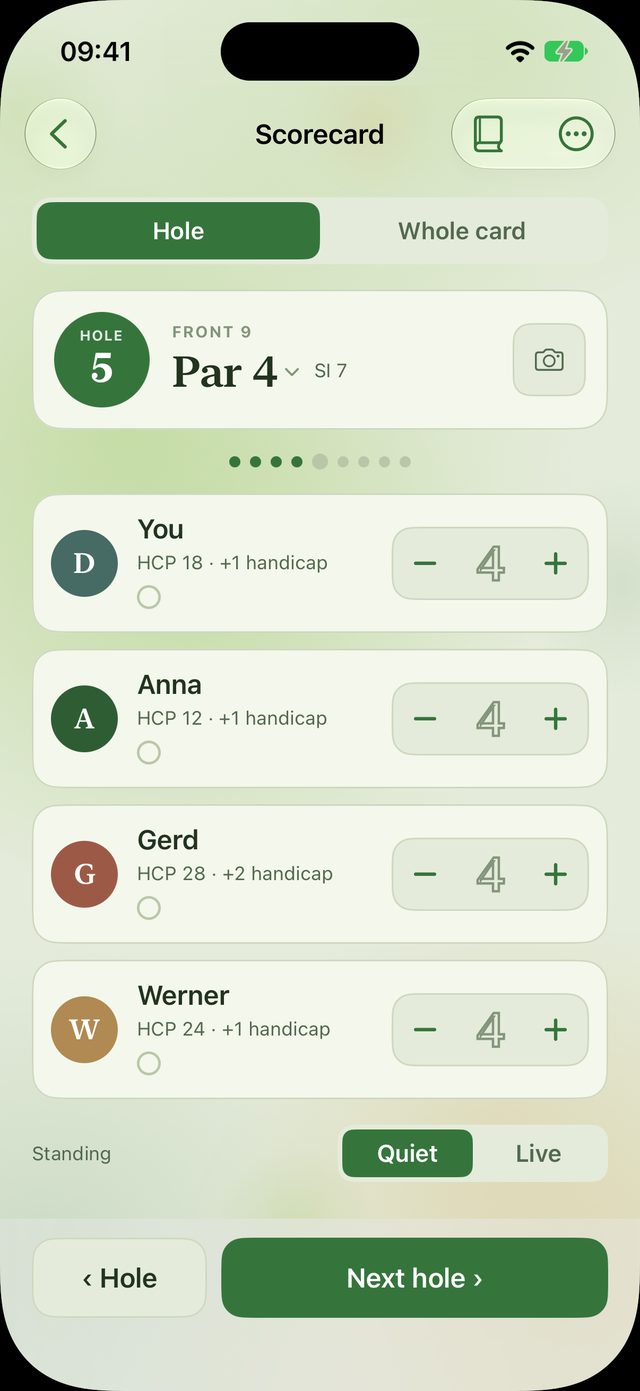
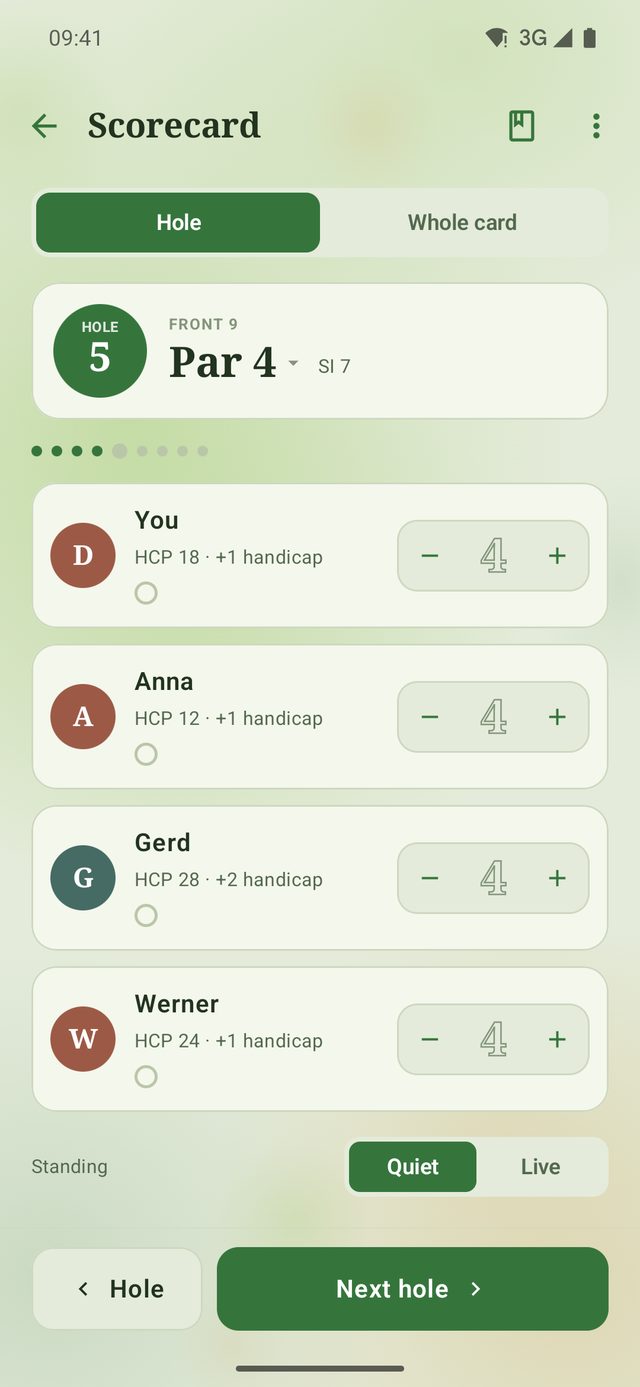
Demo with the example flight from the app, as in the picture next to it: front 9, hole 5, par 4. Highlighted is who is ahead on this hole. A round’s handicap strokes are handicap × holes ÷ 18, rounded and spread across the holes by stroke index.
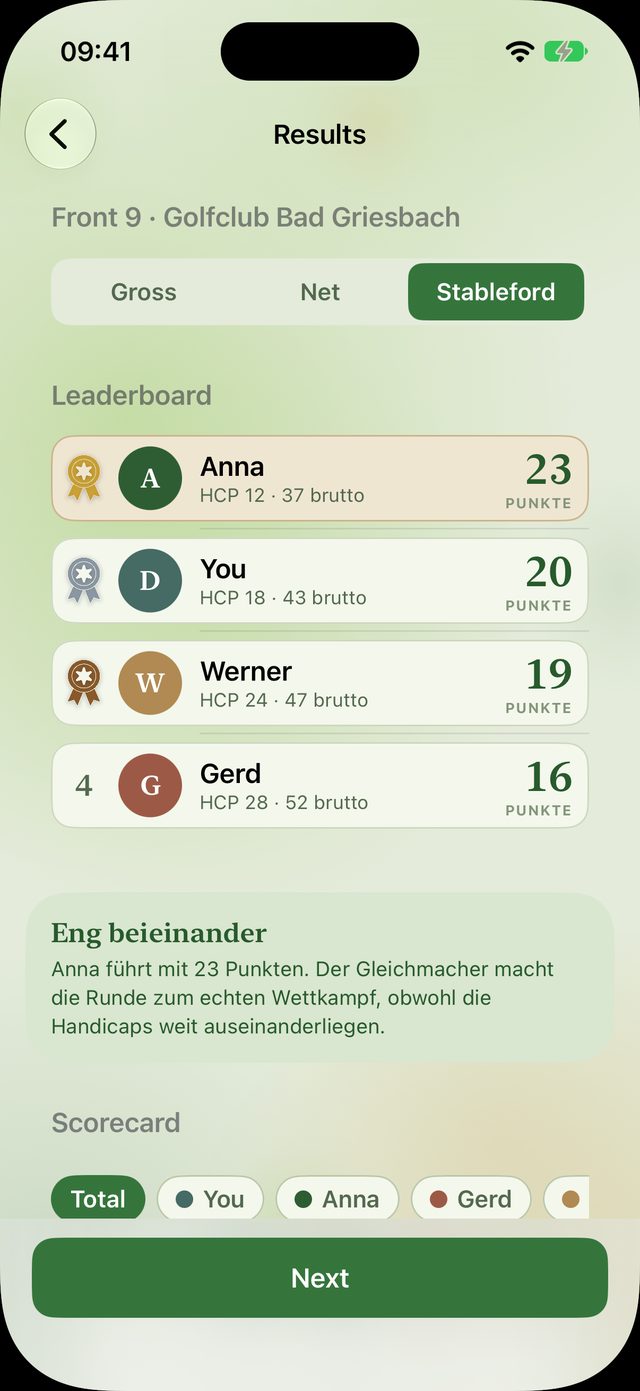
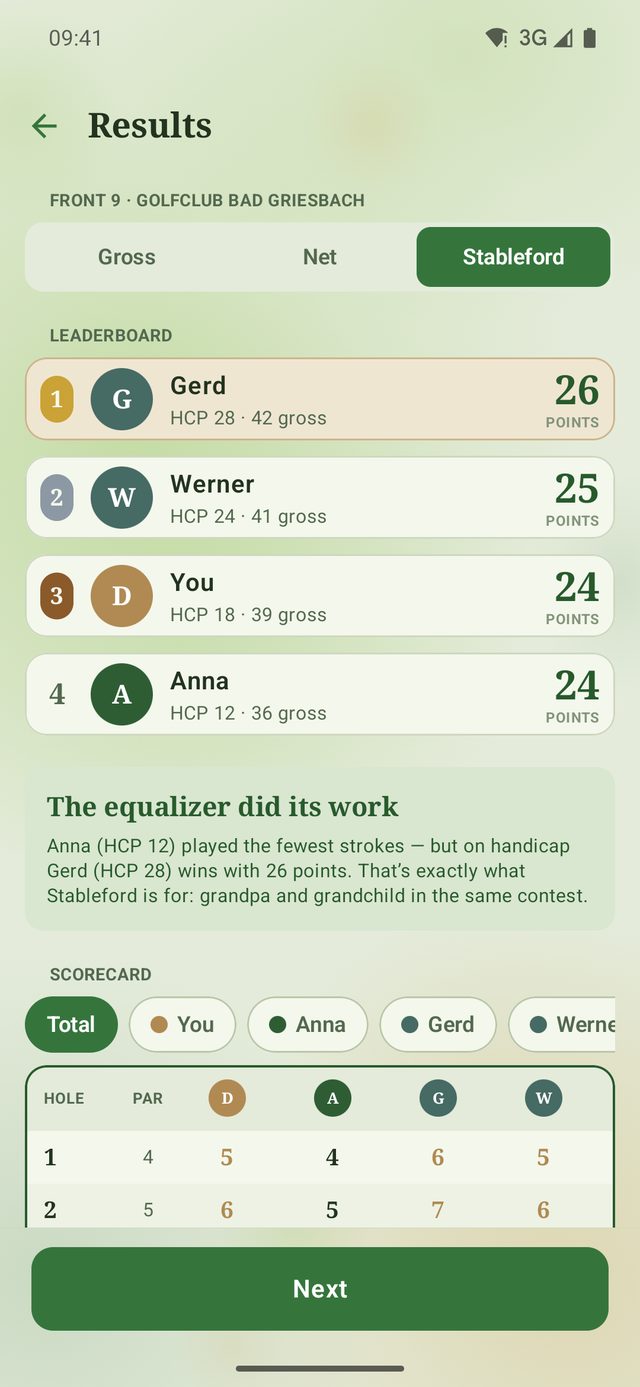
The equaliser. Stableford takes the handicap into account. That keeps the round a real contest even when handicaps are far apart.
Easy to check. In the results you switch between gross, net and Stableford. You share the scorecard as an image with your flight.
The picture book of your rounds.
Every round can carry a photo of the day and a note.
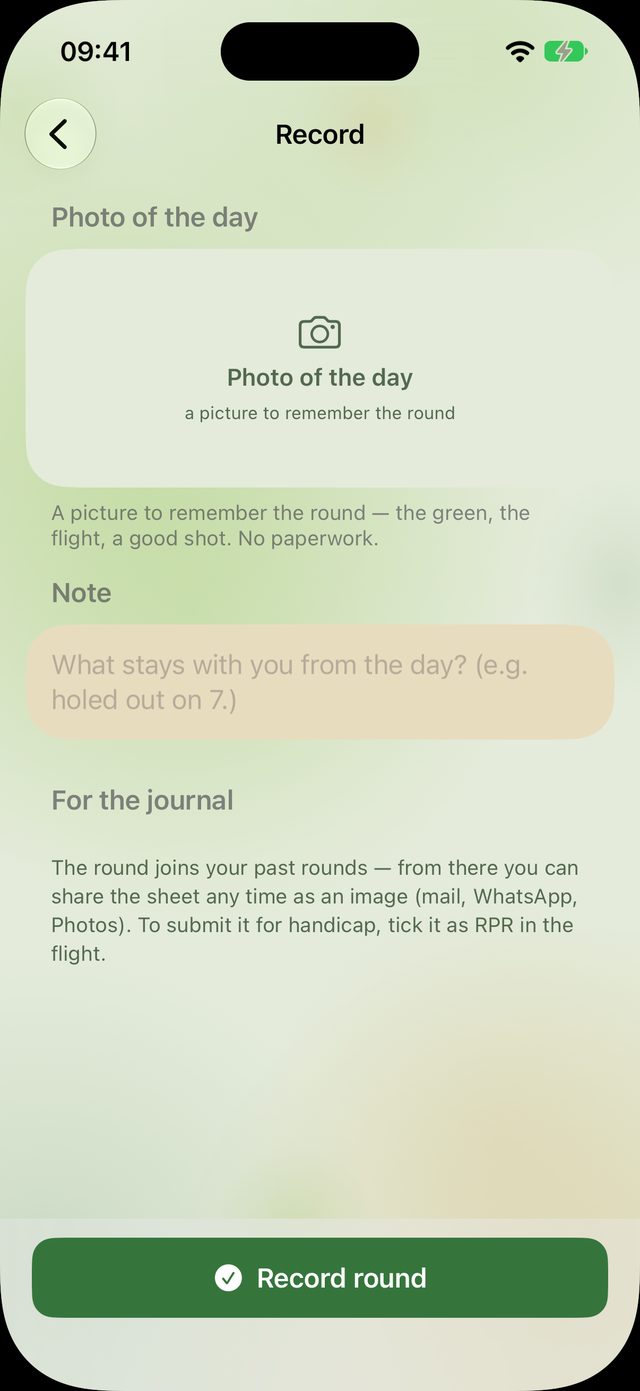
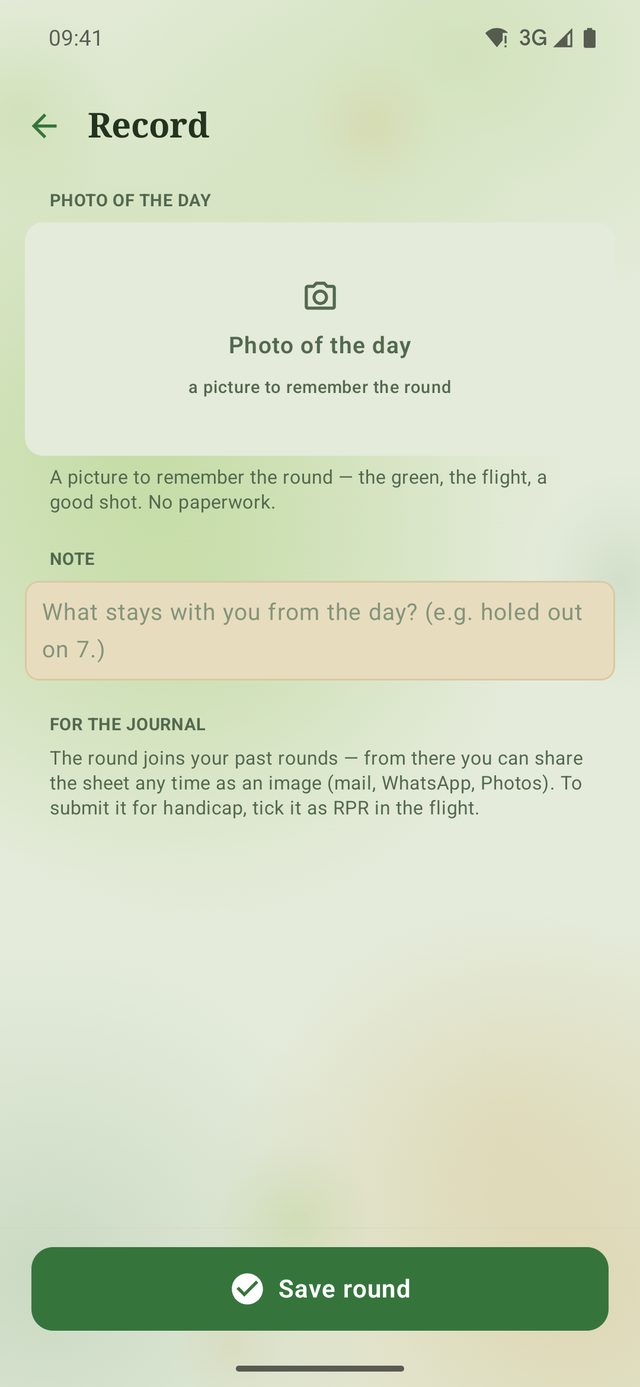
What stays of the day? A photo and a sentence are enough. On iPhone you can also take a photo per hole.
Past rounds. Search by course or playing partner, and sort by time, course or fellow player.
Pass the round on. As an image and as a round file (.gaho). Anyone who played along takes it over as their own round. The file format is the same on iPhone and Android.
An honest record.
A scorecard to share, just as the club knows it: with player and marker, signatures and the RPR note. gaho doesn’t rate the round and doesn’t submit anything. Your home club records the handicap.
Four steps to the club scorecard.
- QualifyingThe pill in the flight. It marks who registered the round in advance as a private round (RPR).
- MarkerA fellow player keeps score. You choose them in the record after the round.
- SignatureTwo signatures. Player and marker sign with a finger on the screen.
- ClubShare it or show it. Send the club scorecard to the club or show it at reception.
Only on standard courses and with two or more players. Short courses do not count towards the handicap.
A few numbers that really say something.
For those who want to look deeper. The statistics are the only part of gaho that costs anything: a one-time purchase, no subscription.
Honestly labelled, no showing off.
- HandicapEstimated, with a trend line. From your most recent rounds.
- HistoryRound by round. Strokes over par, scaled to 18 holes.
- SpreadBirdie to double bogey. Your score spread at a glance.
- Hole typePar 3, par 4, par 5. Your average by hole type.
- PuttsPutting and short game. Average putts, greens in regulation and scrambling, if you count putts.
Below the estimated handicap the app says: “not an official DGV handicap, just an honest guide”.
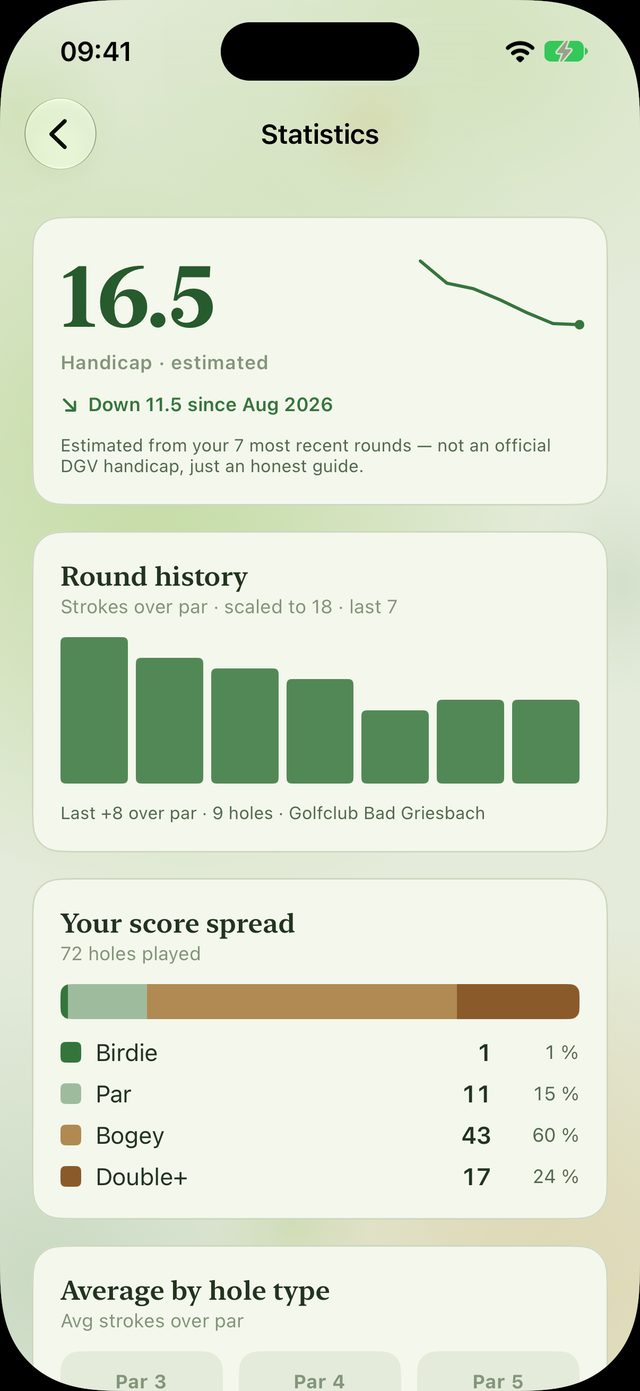
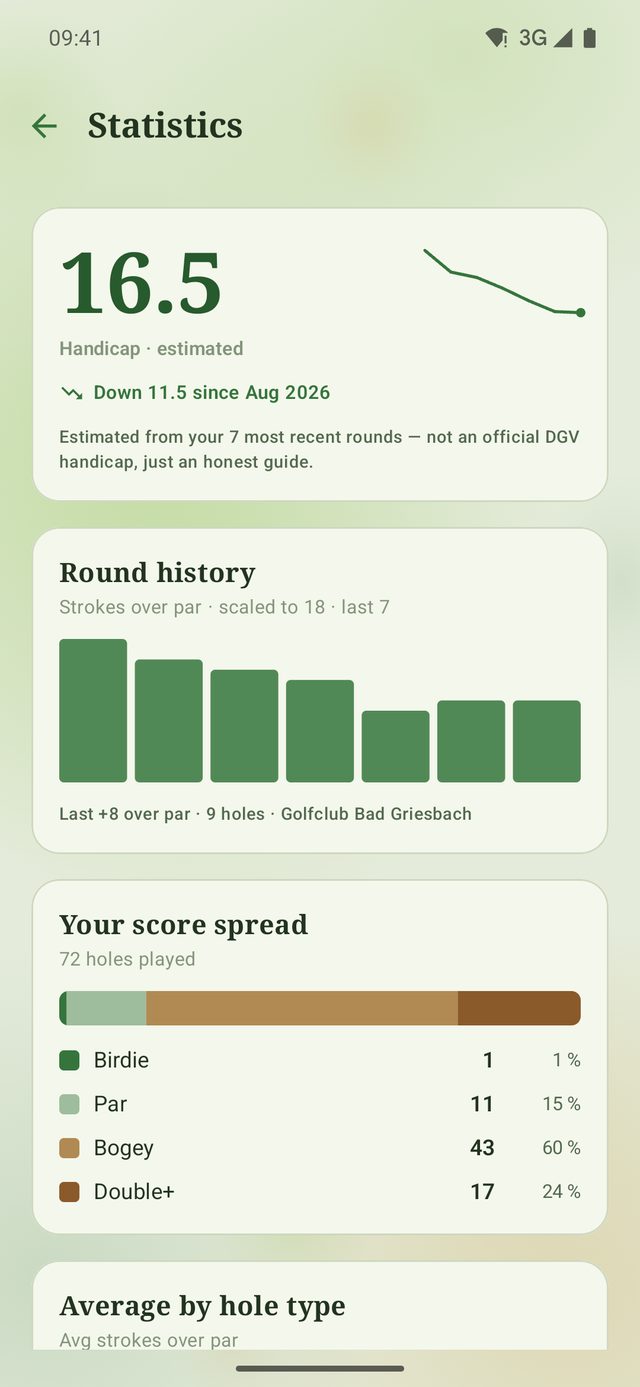
Play first, decide later. The purchase button is in the statistics. It only appears once you have recorded a round of your own with hole data. Until then it says “Nothing to analyze yet”.
Estimated, not official. From three complete rounds of at least 9 holes, gaho estimates your playing strength. It is not an official handicap.
Nine topics to look up.
You reach the rules via the book symbol on the scorecard. They briefly explain what often comes up during a round. They are not an official interpretation.
When in doubt, the local rules and the committee decide. For the exact wording, the official rules text counts. On iPhones with iOS 26 and Apple Intelligence there is also the rules chat “Ask the rules”. It answers only from the rules in the app.
Unfolded: two columns.
On the unfolded iPhone Duo, gaho shows two columns. On the scorecard, for example, the previous hole is on the left and the current hole on the right. This view arrives with version 1.1.
The help describes gaho on a regular iPhone.

Where golf and good taste meet.
ritrovo is the sister app for good taste and is coming soon. If you have both on the same iPhone, they share the list of people: you only create a fellow player once. gaho’s start screen then shows the joint emblem. It leads to “Look back”, with the people and places that appear in both apps.
Have a look at ritrovo →Your rounds stay with you.
No account, no sign-in, no server of ours. Your rounds are stored on your iPhonephone.
iCloud only if you want it. Backup to your own iCloud is off at first. You switch it on under “About”.
Course search goes online. “Search course online” sends your search text to the handicap.report directory.
The place name comes from Apple. If you allow location, Apple turns it into the name of the place.
No tracking, no ads. The rules chat, too, runs on the device.
No backup of its own. At most, the Android system backup in your own Google account applies.
Course search needs no network. gaho searches an extract from OpenStreetMap that ships with the app.
Location stays approximate. It is only used to find courses near you.
Building blocks from Google. Google Play handles the purchase. To scan a scorecard, gaho uses the document scanner of Play services and Google’s text recognition.
Everything except the statistics is free. You unlock the statistics with gaho Pro: bought once, no subscription. The app shows you the price before you buy. The purchase is tied to your Apple account.The purchase applies on all devices of your Google account.

For everyone who keeps a card anyway.
For the round with friends. One flight, three scores, a leaderboard at the end.
For the private round that counts. A scorecard with signatures for your club.
For the short course. Any number of holes from 3 to 18 and any par.
For everyone who wants to remember. Photo, note and fellow players for every round.
Answered briefly.
Do I need an account or an internet connection?
There is no account. You play and score without a connection. You only need one for “Search course online”, for iCloud backup if you switch it on, and to buy gaho Pro.You only need one to buy gaho Pro and the first time you photograph a scorecard, in case Play services still have to download the document scanner. Read more
What does gaho cost?
gaho is free. Only the statistics cost something: gaho Pro is a one-time in-app purchase, not a subscription. The purchase button only appears after your first own round with hole data. Read more
Is the estimated handicap official?
No. The app says: “not an official DGV handicap, just an honest guide”. gaho estimates it from your most recent rounds, without course rating and slope. Read more
Does gaho submit my round to the club?
No. gaho creates the scorecard with both signatures. You send it to the club or show it at reception. Your home club records the handicap. How it works
Can I pass a round on to my fellow players?
Yes, round by round: as an image and as a round file (.gaho). Your fellow player opens the file with gaho and takes the round over as their own. There is no export of all rounds. How it works
When will gaho come to iPhone?
Soon. gaho for iPhone is not on the App Store yet. For Android, the app is already on Google Play. Read more
Only what counts
gaho doesn’t measure distances, shows no hole maps and tracks no shots. Location is only used to find courses. There is no official handicap, no submitting to the club, no match play, no scramble and no skins.