Kept on your device. No account, no tracking, no ads.
Correct, don't overwrite. Every change stays visible, with time and reason.
Pay once.Try first, pay once. No subscription, no follow-up costs.The logbook without a subscription or follow-up costs.
Spurando auf einen Blick
Spurando at a glance
- Wofür
- Spurando ist ein Fahrtenbuch für Selbstständige, Freiberufler und Firmenwagen-Fahrer. Fahrten werden von Hand, per GPS oder automatisch erfasst und nachprüfbar verkettet; für die Betriebsprüfung gibt es einen Prüfer-Export.
- iPhone
- Läuft ab iOS 17, auch auf dem iPhone Duo. Aktuell ist Version 1.2 im App Store.
- Android
- Läuft auf Telefonen ab Android 8.0. Aktuell ist Version 1.3 bei Google Play. Nur hier gibt es bisher die Add-ons Reisekosten sowie Kunden & Projekte und „Spurando am Schreibtisch“, das Fahrtenbuch im Browser am Rechner im Abo. Auf dem iPhone kommt „Spurando am Schreibtisch“ mit dem nächsten Update.
- Kaufmodell iPhone
- Auf dem iPhone ist Spurando ein Einmalkauf ohne Abo. Die Add-ons und „Spurando am Schreibtisch“ gibt es derzeit nur auf Android.
- Kaufmodell Android
- Kostenlos laden, 14 Tage ist alles frei, auch die Add-ons. Danach braucht nur das Anlegen neuer Fahrten die Vollversion als Einmalkauf. Ansehen, Korrigieren, Exportieren und Backup bleiben immer frei. Die Add-ons sind Einmalkäufe. Ein Abo gibt es nur für „Spurando am Schreibtisch“.
- Konto
- Die App braucht kein Konto. Auch der Browser-Zugang kommt ohne Konto und Passwort aus, er wird per QR-Code gekoppelt.
- Internet
- Das Erfassen funktioniert ohne Netz. Der Adressvorschlag nutzt den Kartendienst des Systems und lässt sich abschalten.
- Daten
- Die Fahrten bleiben auf dem Gerät. Der Abgleich über iCloud oder Google Drive ist freiwillig. Keine Werbung, kein Tracking.
- Purpose
- Spurando is a mileage log (Fahrtenbuch) for the self-employed, freelancers and company-car drivers. Trips are recorded by hand, by GPS or automatically and chained so they can be verified; there is an auditor export for a tax audit.
- iPhone
- Runs on iOS 17 and later, including the iPhone Duo. The current version is 1.2 in the App Store.
- Android
- Runs on phones with Android 8.0 or later. The current version is 1.3 on Google Play. Only here are the add-ons Travel expenses and Customers & projects available so far, as well as “Spurando at the desk”, the logbook in a browser on your computer (subscription). On iPhone, “Spurando at the desk” comes with the next update.
- Pricing iPhone
- On iPhone, Spurando is a one-time purchase without a subscription. The add-ons and “Spurando at the desk” are currently available only on Android.
- Pricing Android
- Free to download, everything is free for 14 days, including the add-ons. After that, only creating new trips needs the full version, a one-time purchase. Viewing, correcting, exporting and backup always stay free. The add-ons are one-time purchases. A subscription exists only for “Spurando at the desk”.
- Account
- The app needs no account. The browser access also works without an account or password; it is paired with a QR code.
- Internet
- Recording works without a connection. The address suggestion uses the system map service and can be switched off.
- Data
- Your trips stay on the device. Syncing via iCloud or Google Drive is optional. No ads, no tracking.
Recording
Just drive. Spurando records.
From fully manual to fully automatic: you decide how much automation you want. If you'd rather keep location out of it, log purely by hand.
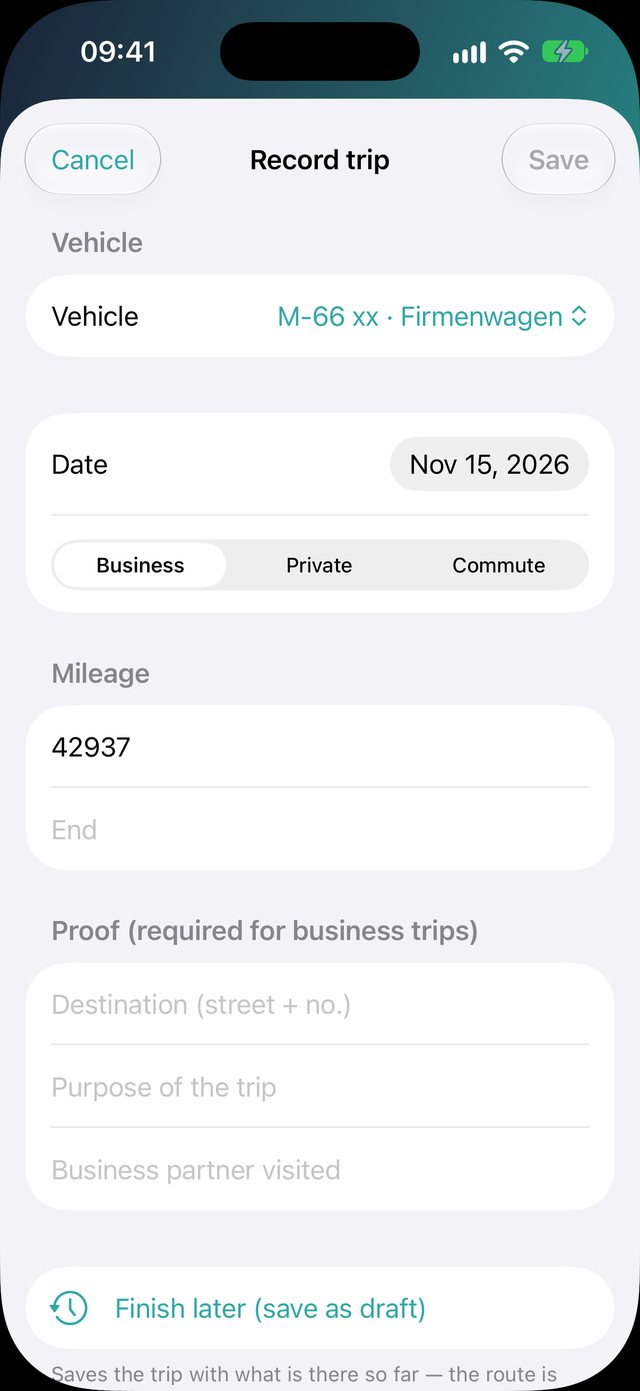
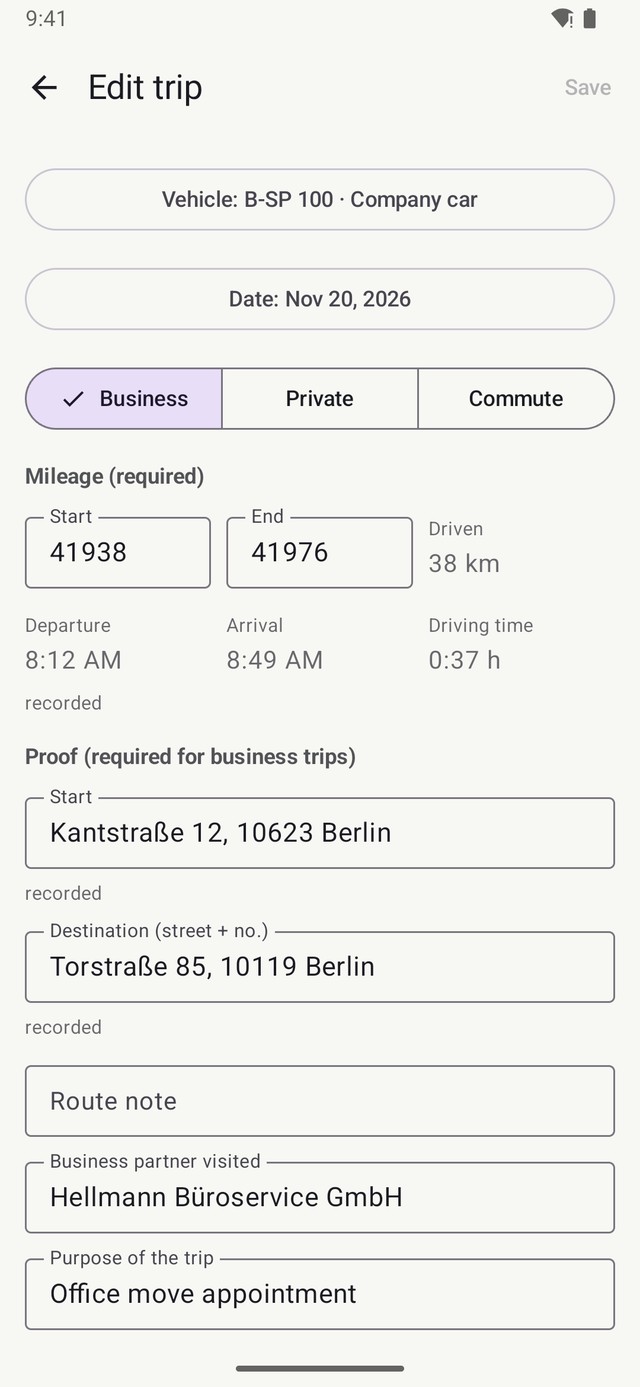
By hand. Date, mileage and, for business trips, destination, purpose and business partner. The last reading is already filled in.
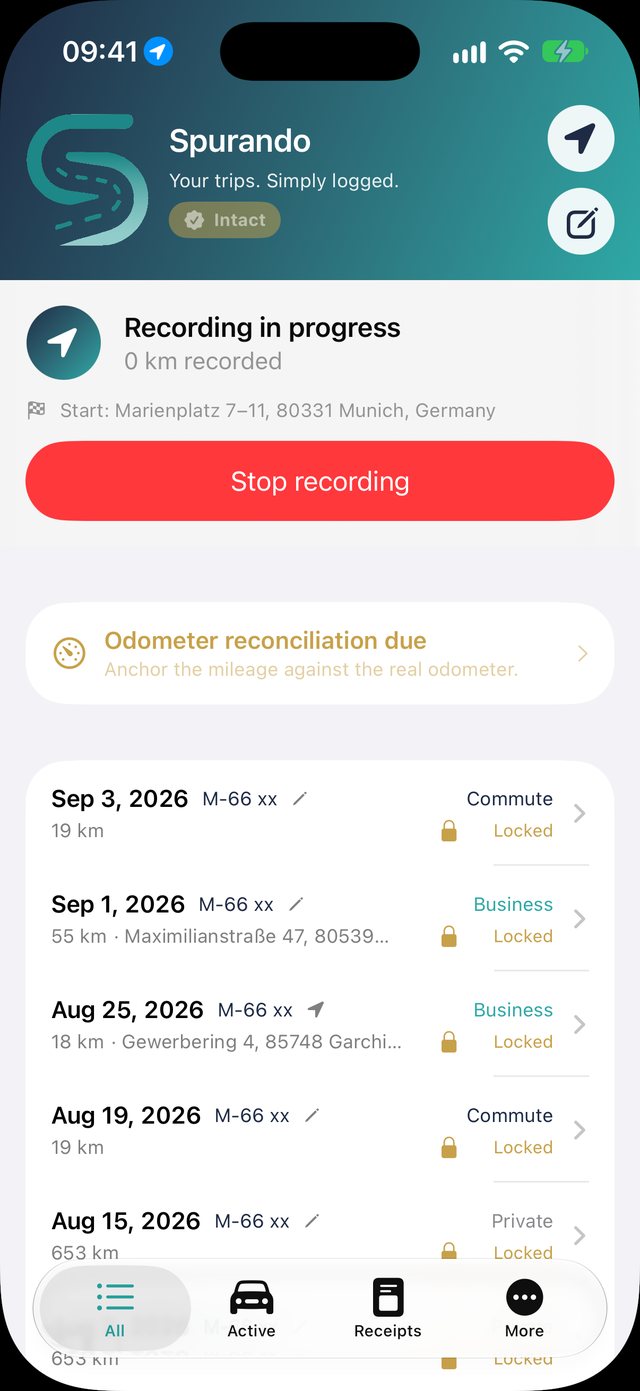
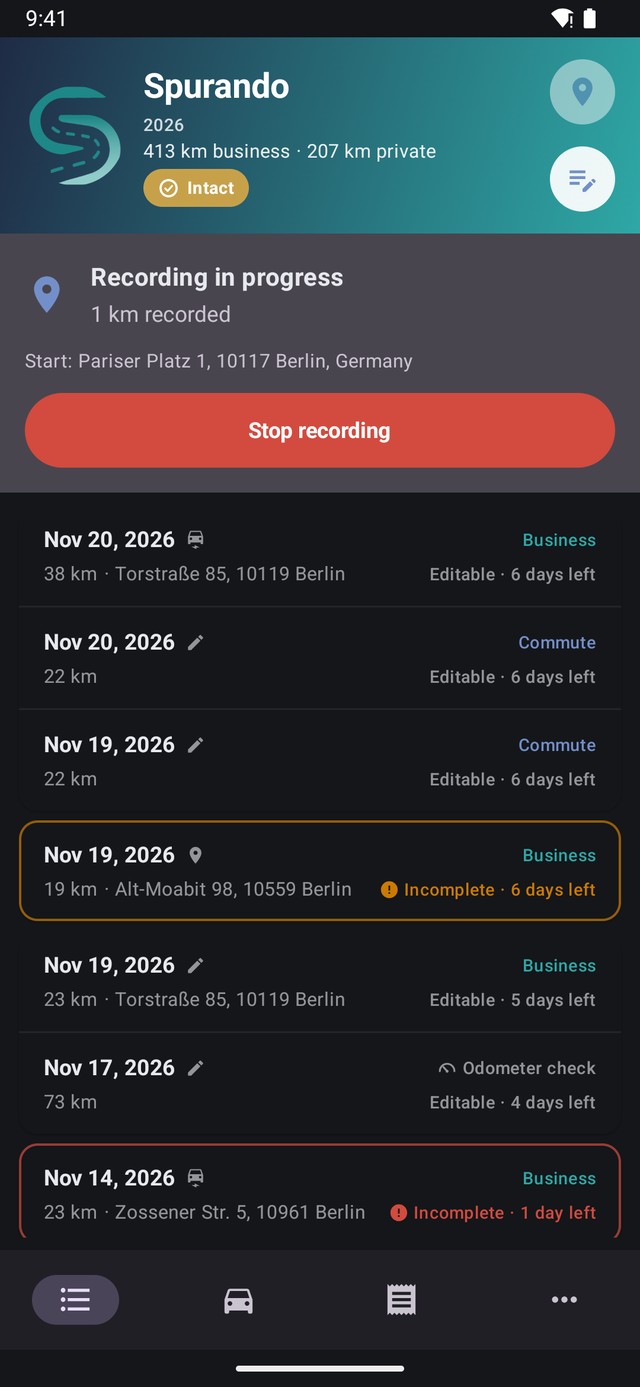
Via GPS. Start recording and drive. The route runs in the background; at the end Spurando suggests kilometres and destinationkilometres, start and destination.
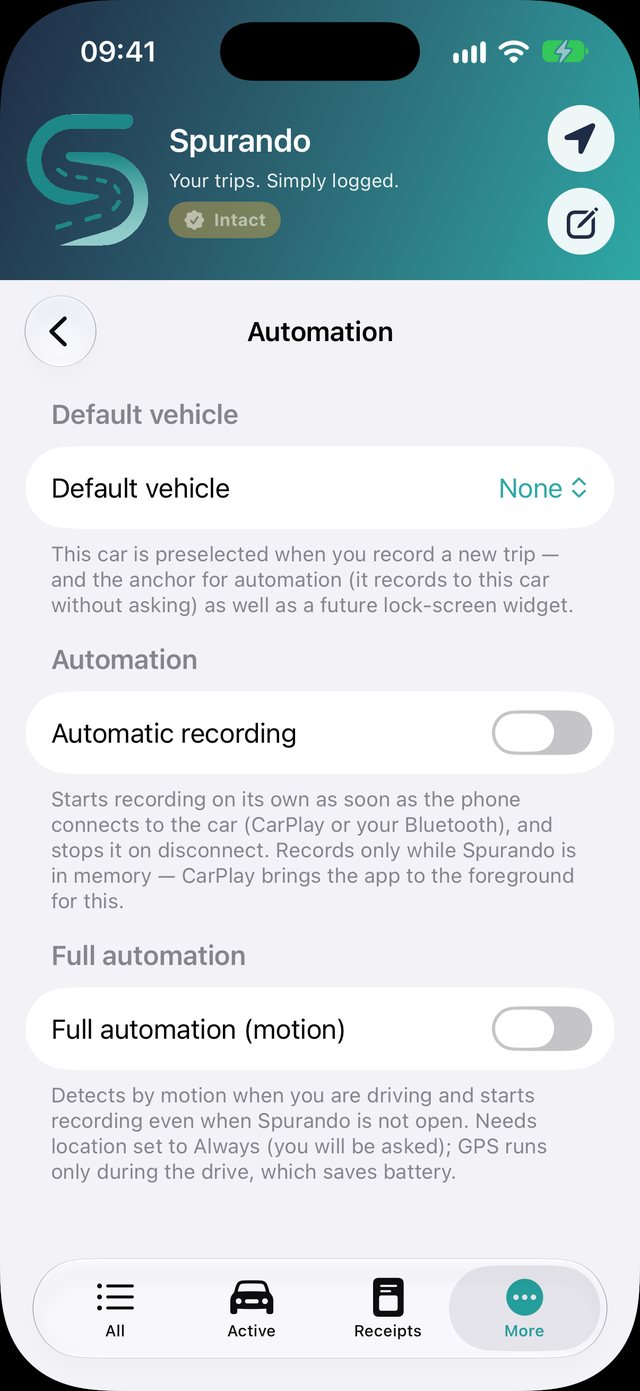
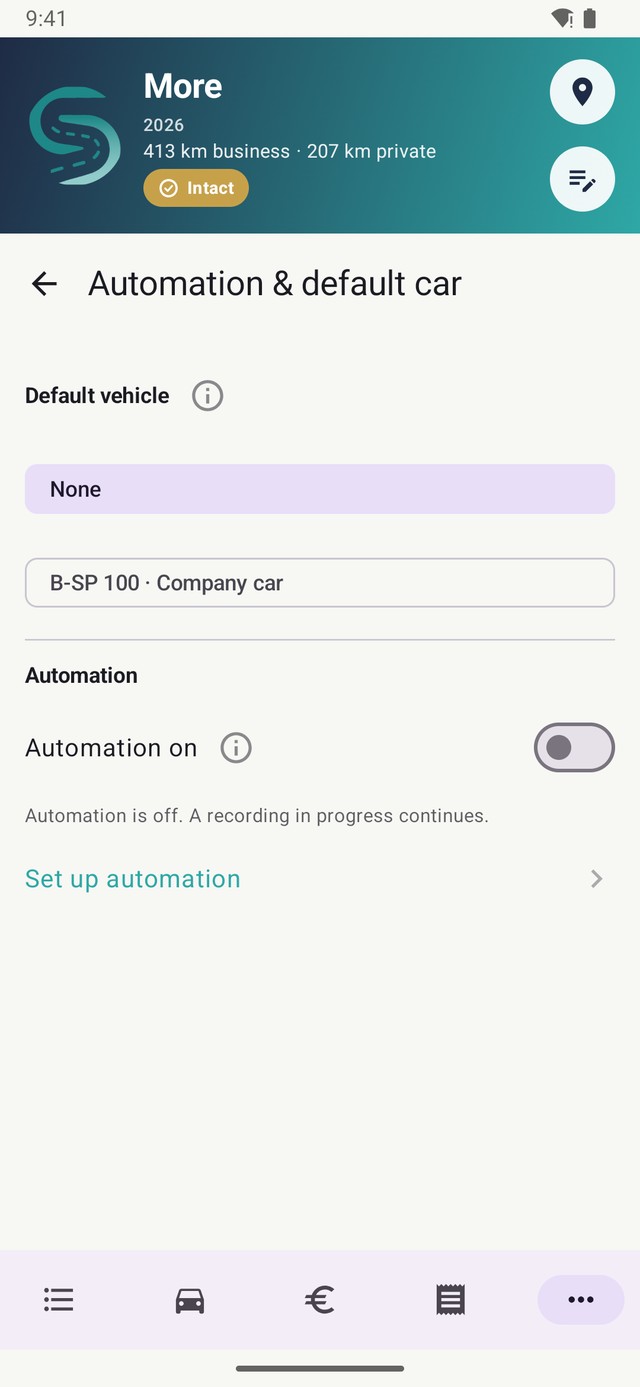
Automatic. Starts when connecting to the car via Bluetooth or CarPlay, or entirely by itself using the motion sensors.Automatic, three ways. All trips by motion, only trips in your own car (Bluetooth or Android Auto), or only while connected to the car. A guided setup helps with pairing. A stop only counts if GPS confirms it. If the trip stopped at a fuel station, Spurando asks afterwards: “Add fuel receipt?” Read more
Proof
Correct, don't overwrite.
A logbook has to show that nothing was changed after the fact. A spreadsheet or a notes app structurally cannot do that, because it can be overwritten at any time. Spurando chains every entry to the previous one.
Every entry carries the fingerprint of the one before.
- Nothing gets overwritten. Corrections and cancellations are added as a new entry; the old version stays visible.
- Only the altered entry is flagged. The other trips remain verifiably intact.
- Locked after seven days. From then on a correction needs a reason.
- Start and destination are in the chain. You can change them; the app marks them as “recorded” or “changed”. There is also an optional note on the route.
- “Save” only after a change. When editing, the button only becomes active once something changes.
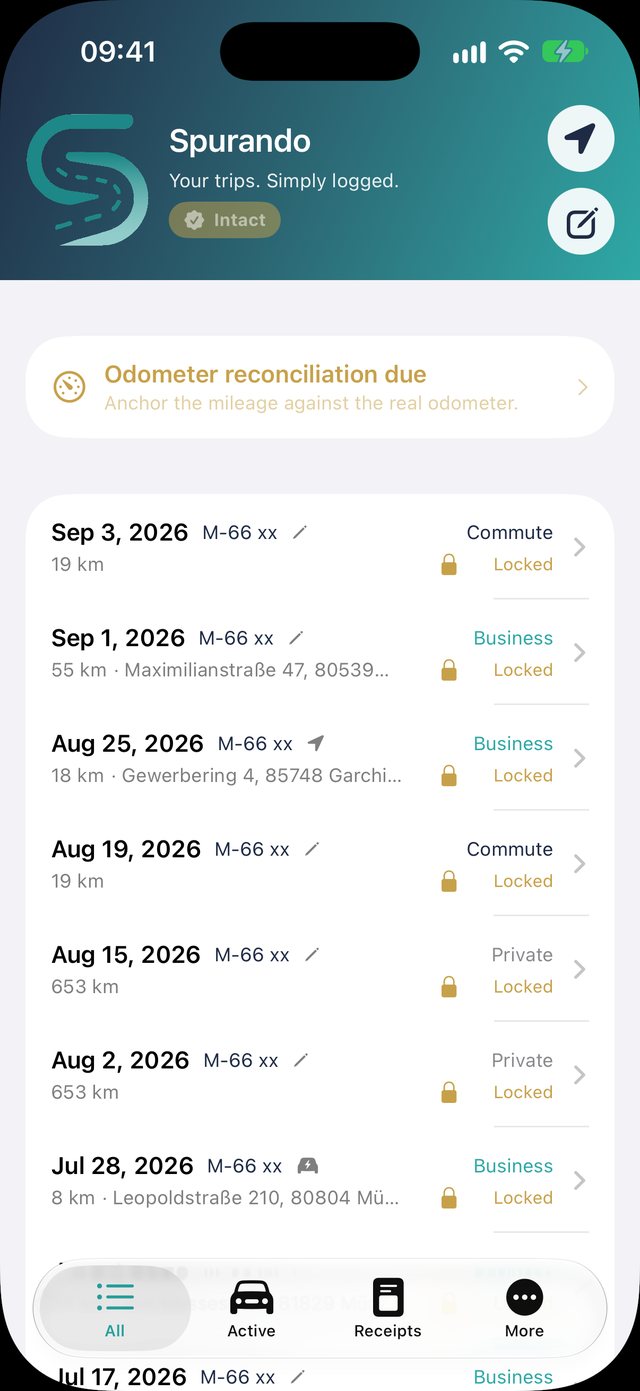
Sep 3 · Commute19 kma41f…9c02 ← 7be3…1d55
Sep 1 · Business55 km7be3…1d55 ← 02cd…e870
Aug 25 · Business18 km02cd…e870 ← 91aa…04f6
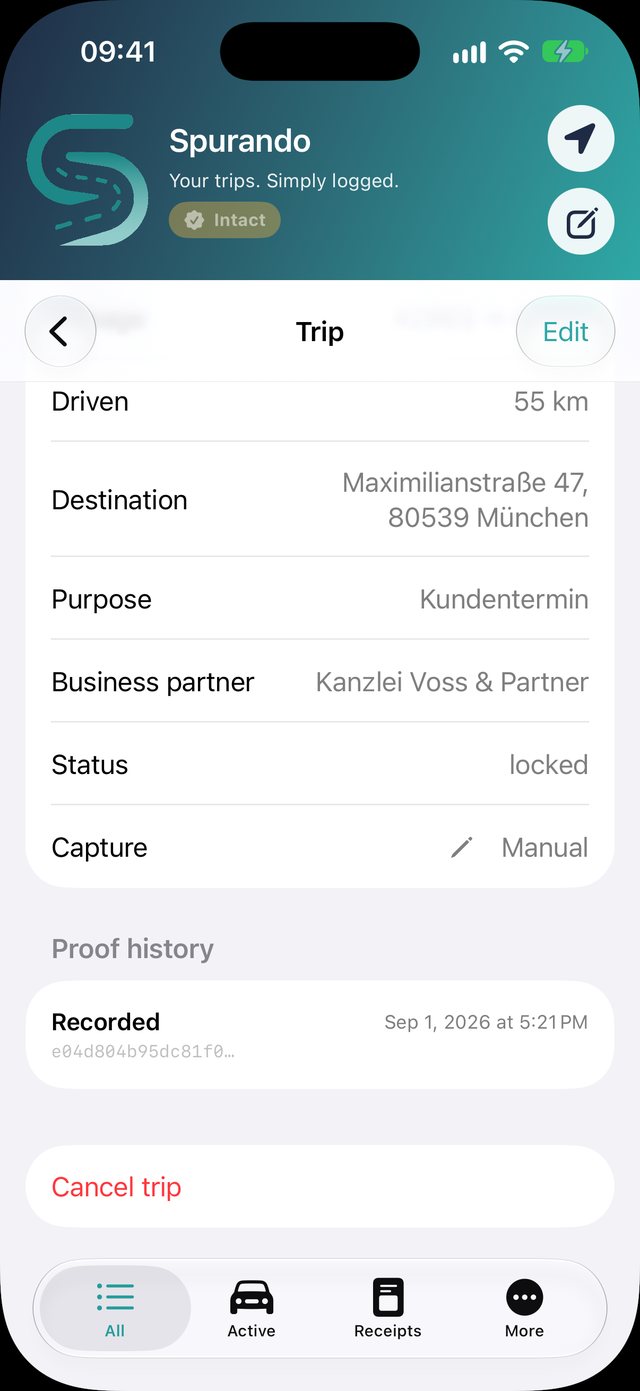
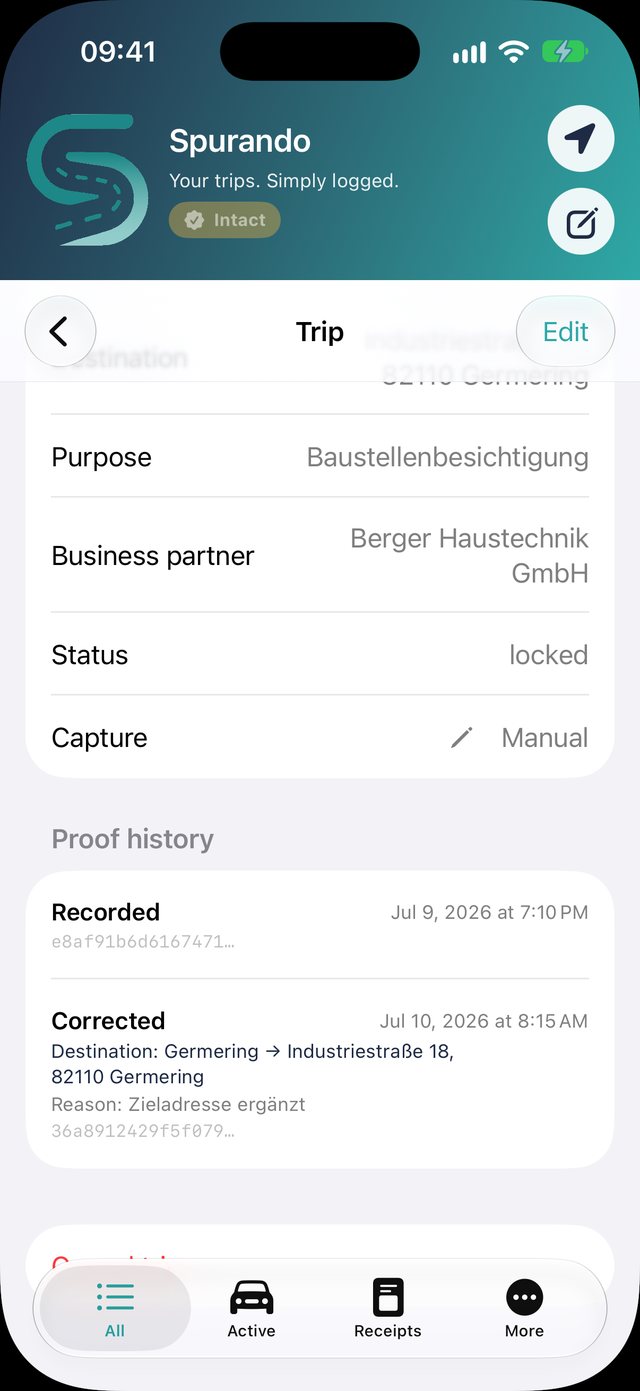
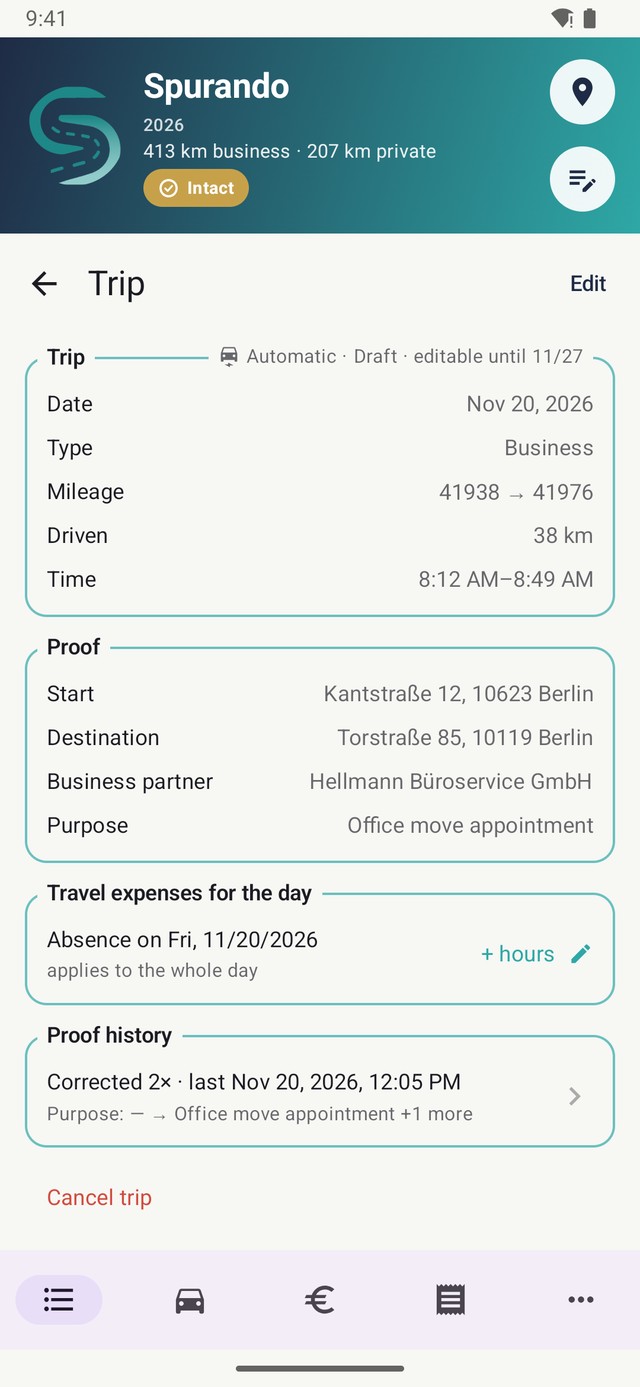
Proof history. Recorded, corrected, cancelled: every version with time, reason and fingerprint.
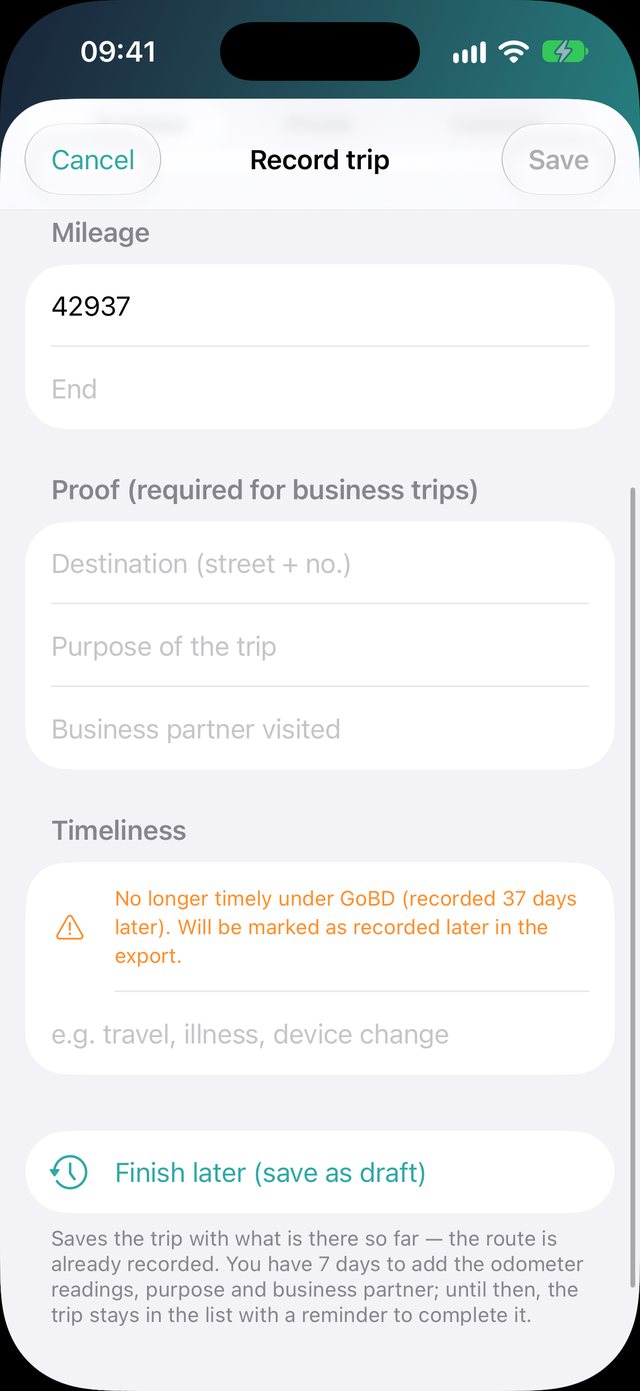
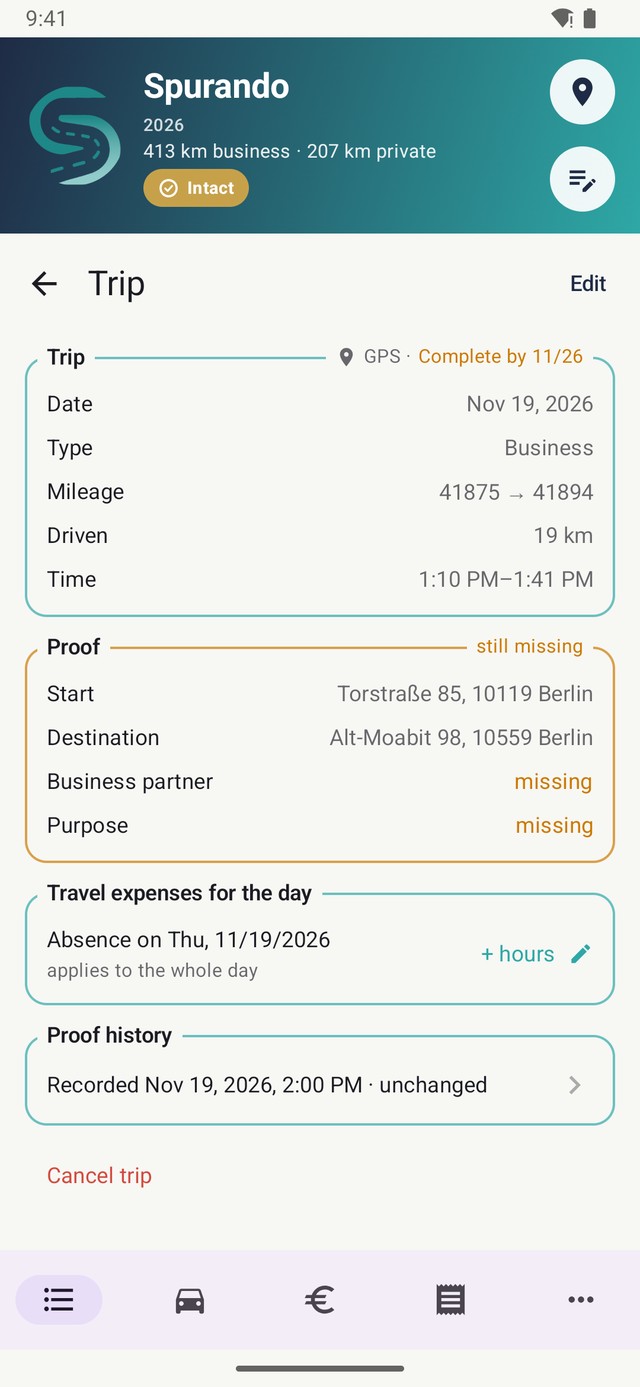
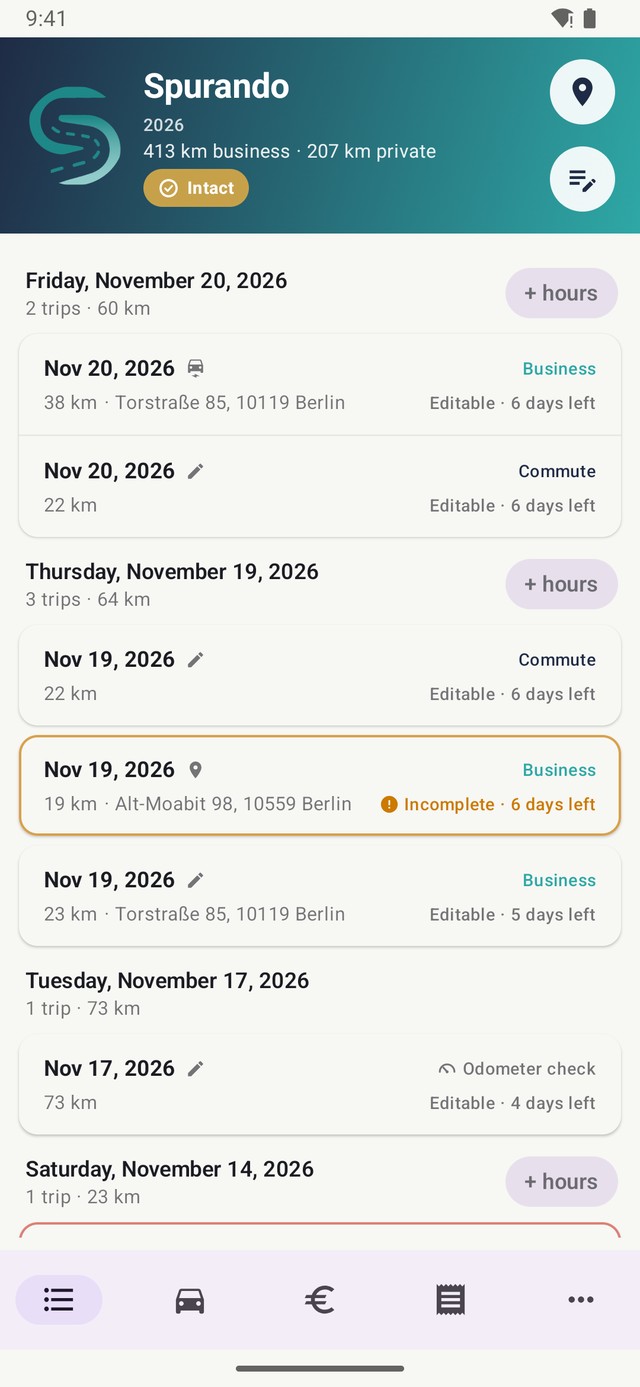
Late entries openly flagged. Nothing is blocked. From day 31 the app asks for a reason, which appears in the export. In the trip list a frame shows what is missing: amber while there is still time, red for a tight deadline, a gap or a broken chain.
Timestamp token · RFC 3161
ServicefreeTSA.org
HashSHA-256
Statea41f…9c02
Contentnone
Proof of when. An independent time-stamping service signs the current state. Only an anonymous hash value leaves your device for this.
Around the car
Receipts, vehicles, mileage.
Everything that belongs to the logbook lives in one place and stays traceable for years.
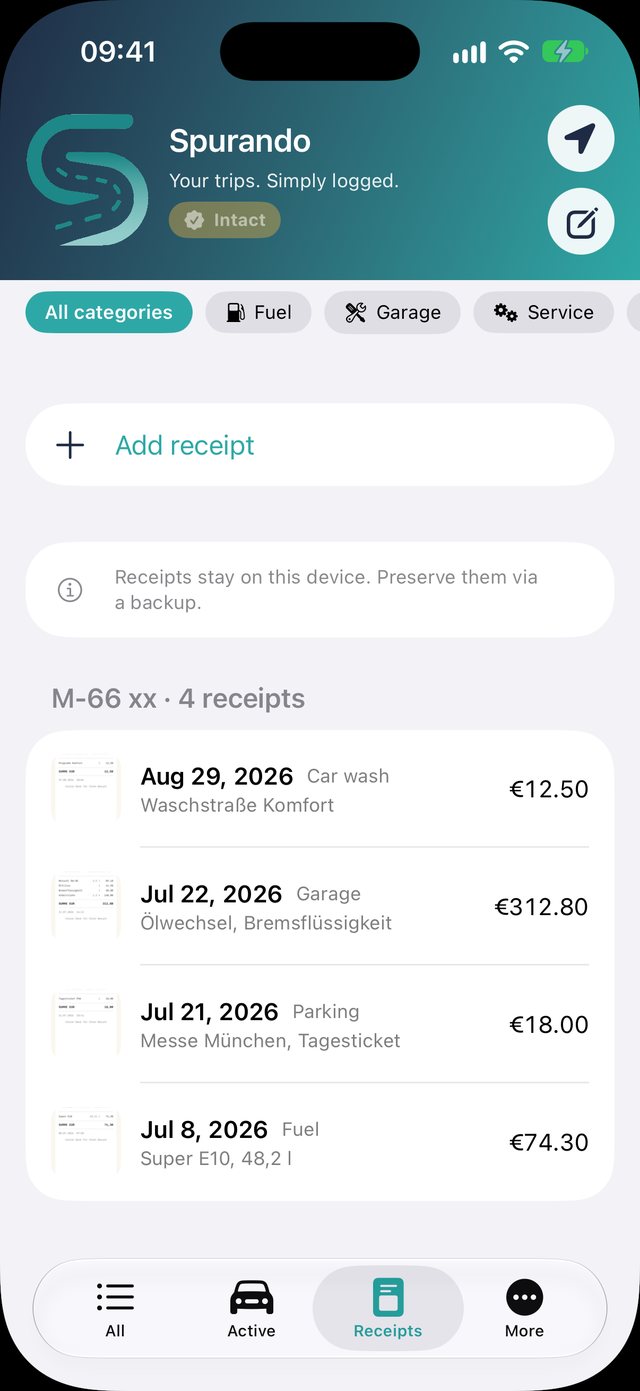
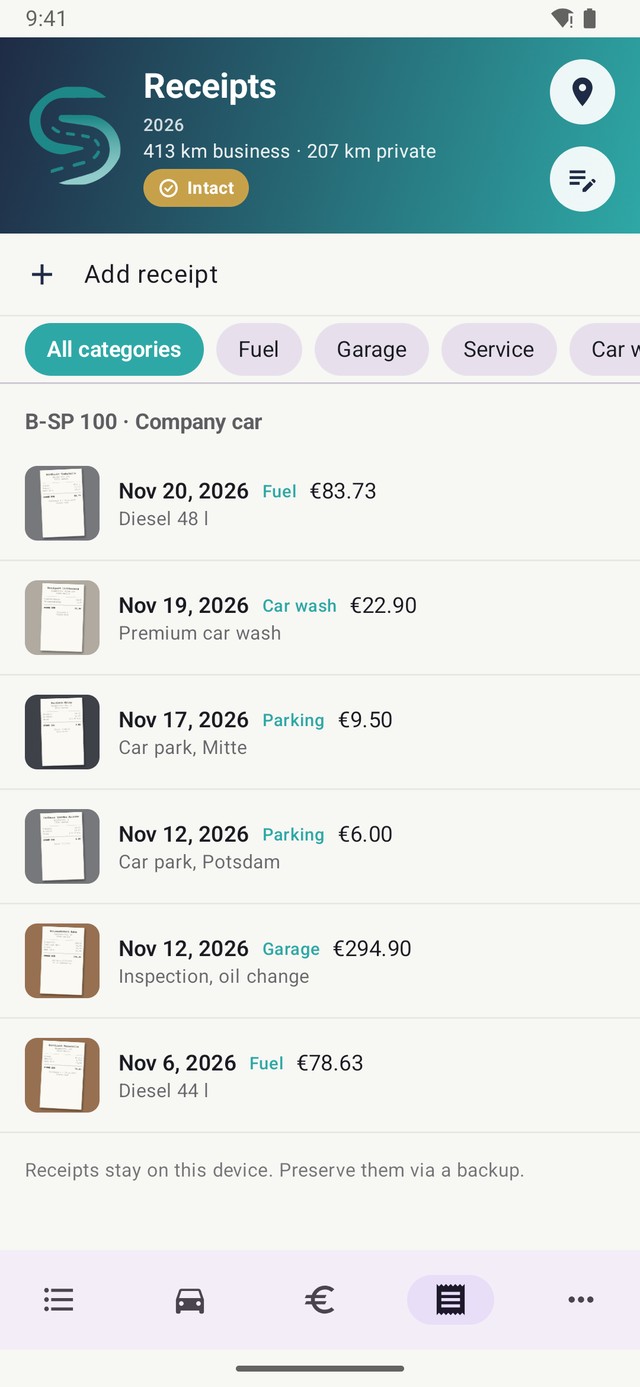
Keep receipts with the car. Fuel, garage, tolls, parking: per vehicle with photo or PDF, date and amount, optionally attached to the auditor PDF.
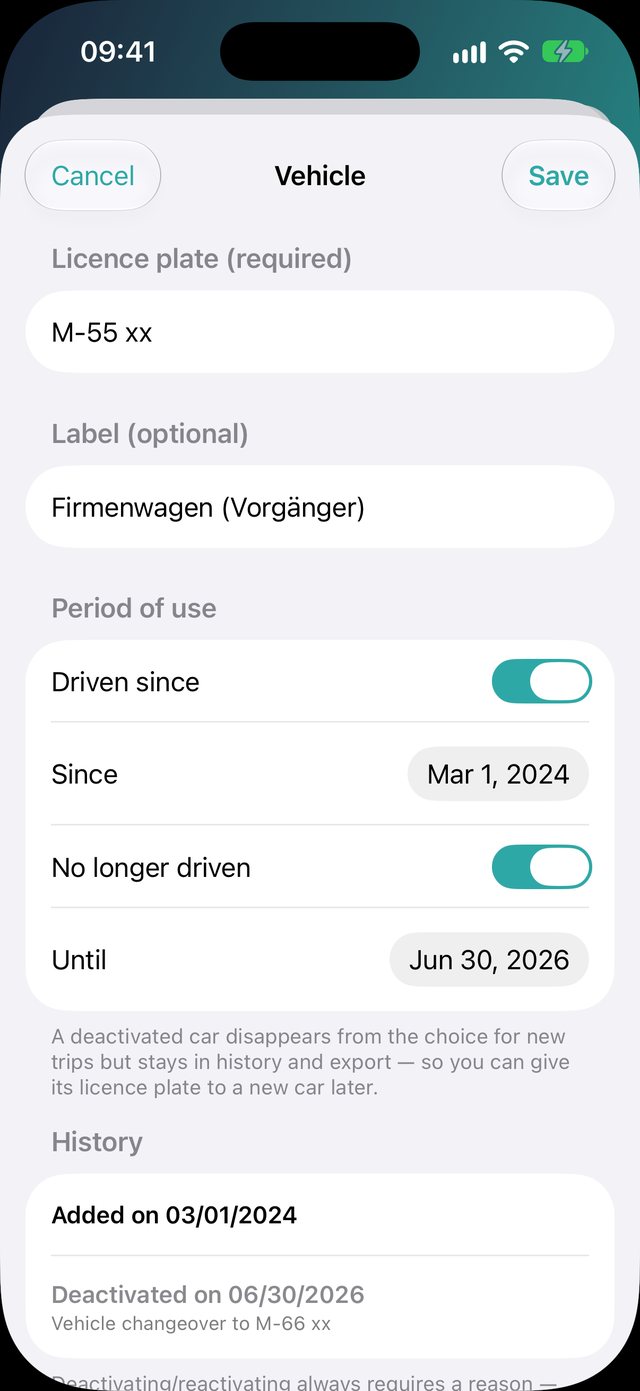
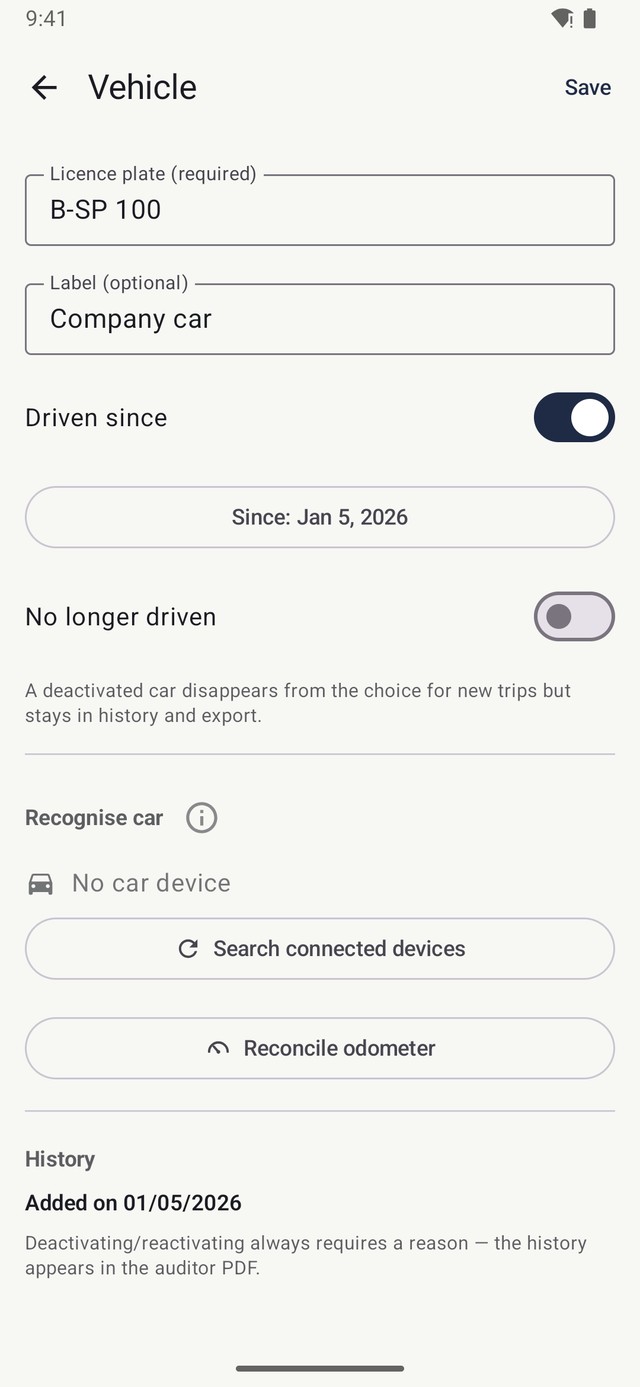
One vehicle, one history. Several cars side by side. When a licence plate moves to a new car, Spurando guides you through the changeover.
Odometer · every 30 days
Odometer reconciliation. Every 30 days you tie your logbook to the real counter. Gaps and overlaps stand out immediately.
For the tax audit
One tap, one package.
The auditor export comes as a single ZIP file with everything a tax audit needs. You choose the period yourself.
Fahrtenbuch 2026 – Prüfer-Export.zip
- CSVMachine-readable. All trips for data handover.
- XMLFor audit software. index.xml following the German tax authorities' description standard, plus its DTD file.
- TXTRecord description. Explains the CSV's structure and fields.
- PDFFor reading. With the process description and vehicle history.
- TSRTimestamp token. The latest one, if available.
We have not yet tested importing the index.xml into IDEA or AIS TaxAudit itself. The export is always in German.
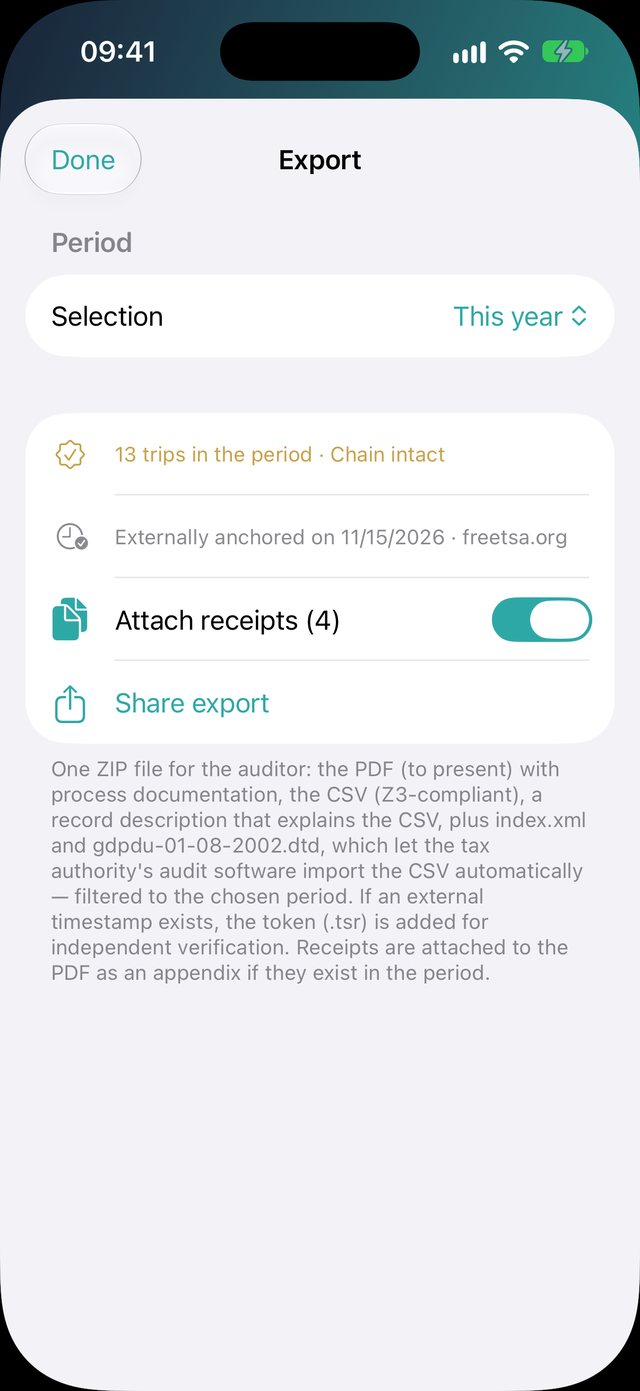
Protected in export
Date01.09.2026
Mileage42863 → 42918
Destination
Purpose
Partner
Bound by confidentiality? Doctors, lawyers and other professionals replace destination, purpose and business partner with a placeholder in the export. Date, mileage and trip type always stay visible.
Spurando-Backup-2026-11-15.json
Tripswith proof chain
Vehicleswith history
Receiptswith photos
RoutesGPS
TimestampsRFC 3161
Backup as a file. Any time, with the complete, verifiable chain, receipts and timestamp tokens.
Add-ons
More for field work.
The full version is the logbook. If you claim travel expenses on the road or assign trips to customers and projects, add one of two add-ons or both as a bundle. Each is a one-time purchase, no subscription.
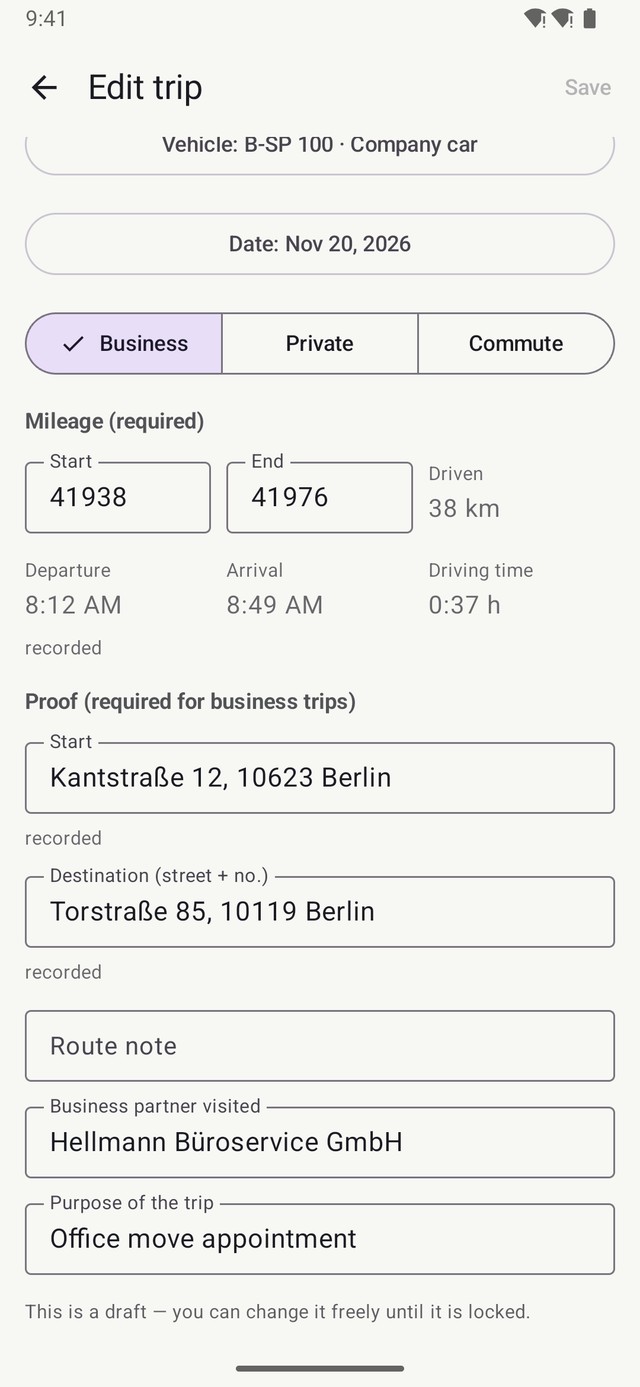
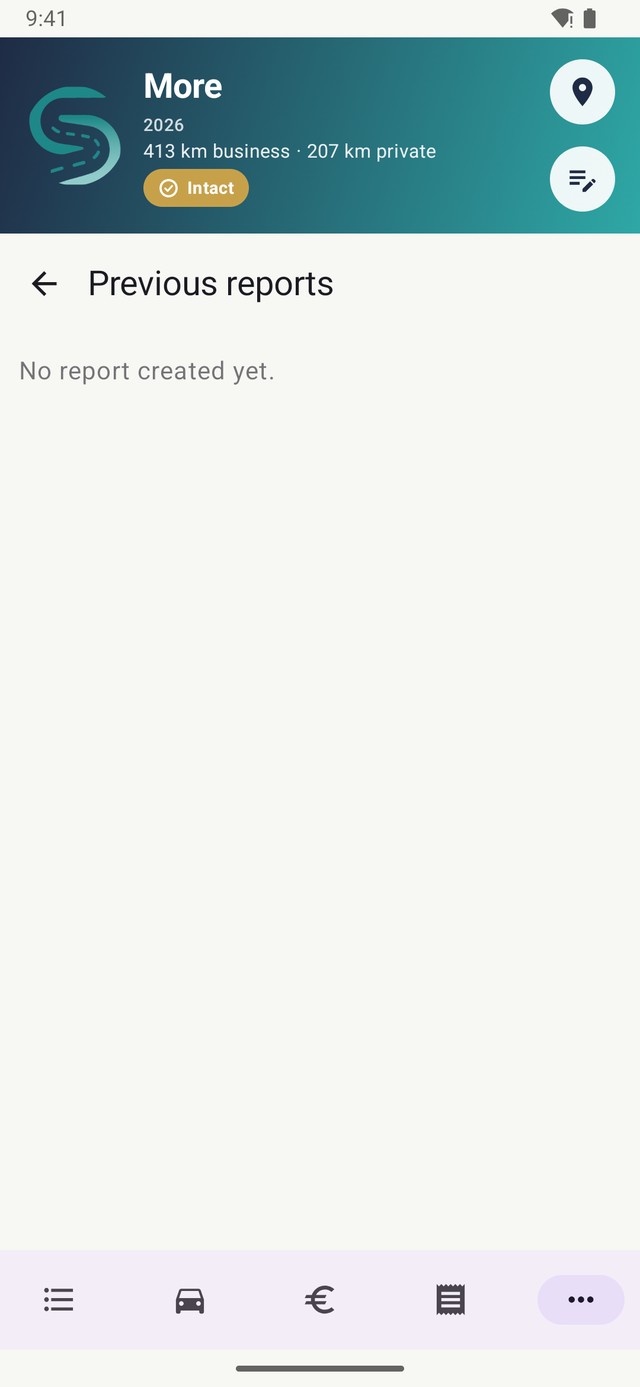
Standard. The full version without an add-on: record trips, prove them and export them for the tax audit.
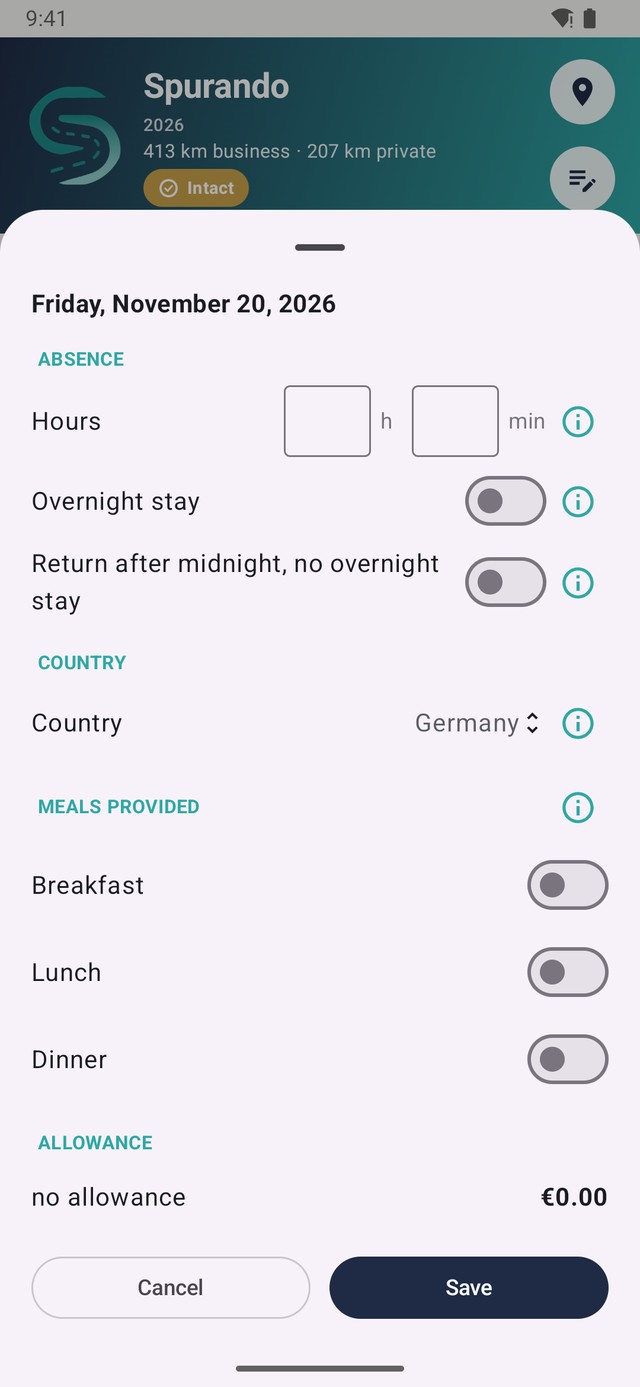
Travel expenses add-on. You record your time away for each day and Spurando works out the meal allowances, reducing them itself when your employer paid for meals. The statement comes as PDF and CSV. Appointments without a car, for example by train, can be entered as well.
Customers & projects add-on. You assign trips to customers and projects and review mileage, driving time and time on site. If the destination matches a customer or project, Spurando suggests the assignment; nothing is assigned until you tap. With your rates, including a flat travel fee and per diem, the app works out the amount. The service record as PDF and CSV goes with your invoice.
Field-service bundle. Both add-ons in one purchase: travel expenses and customers & projects.
Everything is free to try for 14 days, add-ons included. Without a purchase your data stays intact.
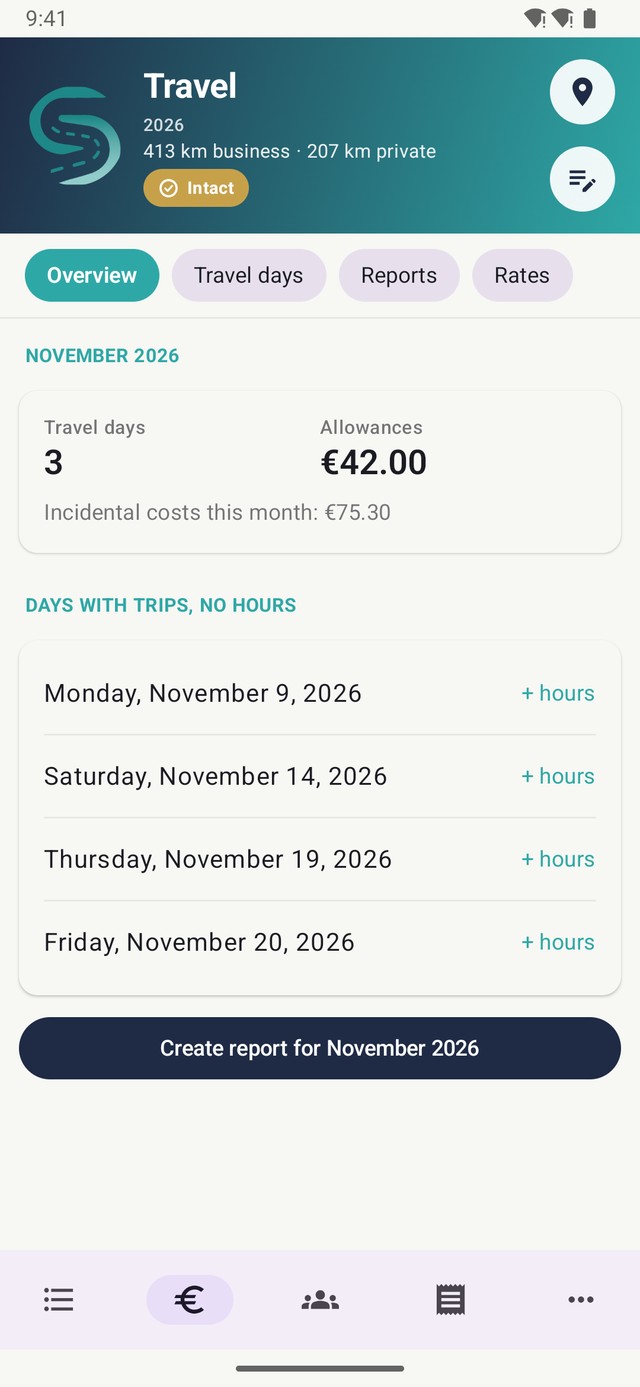
Travel expenses. Time away per day, meal allowances and the statement in one place. €9.99 once. Read more
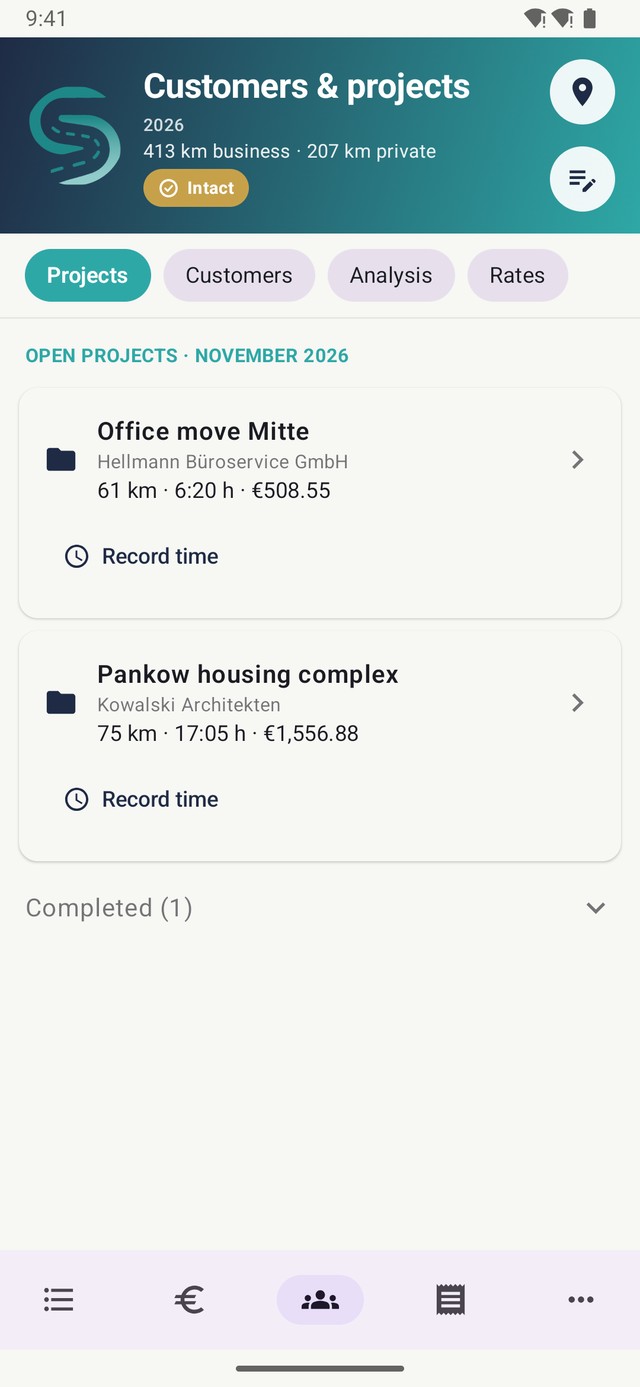
Customers & projects. Assign trips, review mileage, driving time and time on site per project, with a service record for your invoice. €29.99 once. Read more
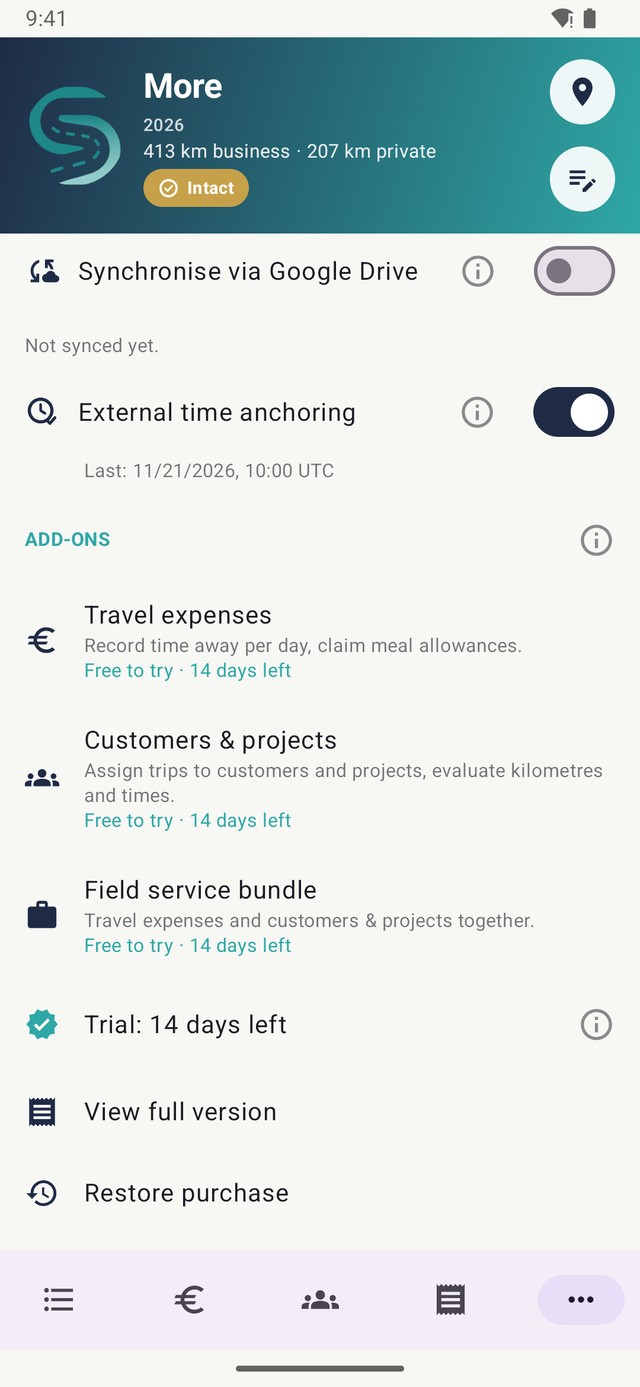
Try first. For 14 days you use everything, add-ons included. After that viewing, correcting, exporting and backup stay free; new trips need the full version. Read more
At your desk
Tend to what the app has recorded.
On the road the app records. At your desk you open the same logbook in the browser at spurando.thadwi.studio, with more room to fill in and check. To do so, you pair the browser with the app once: the page shows a QR code, you scan it in Spurando, done. There is no account or password.
- View and fill in trips.
- Enter trips by hand.
- Auditor export for the tax office and your tax advisor.
- If you bought them in the app: customers & projects and travel expenses.
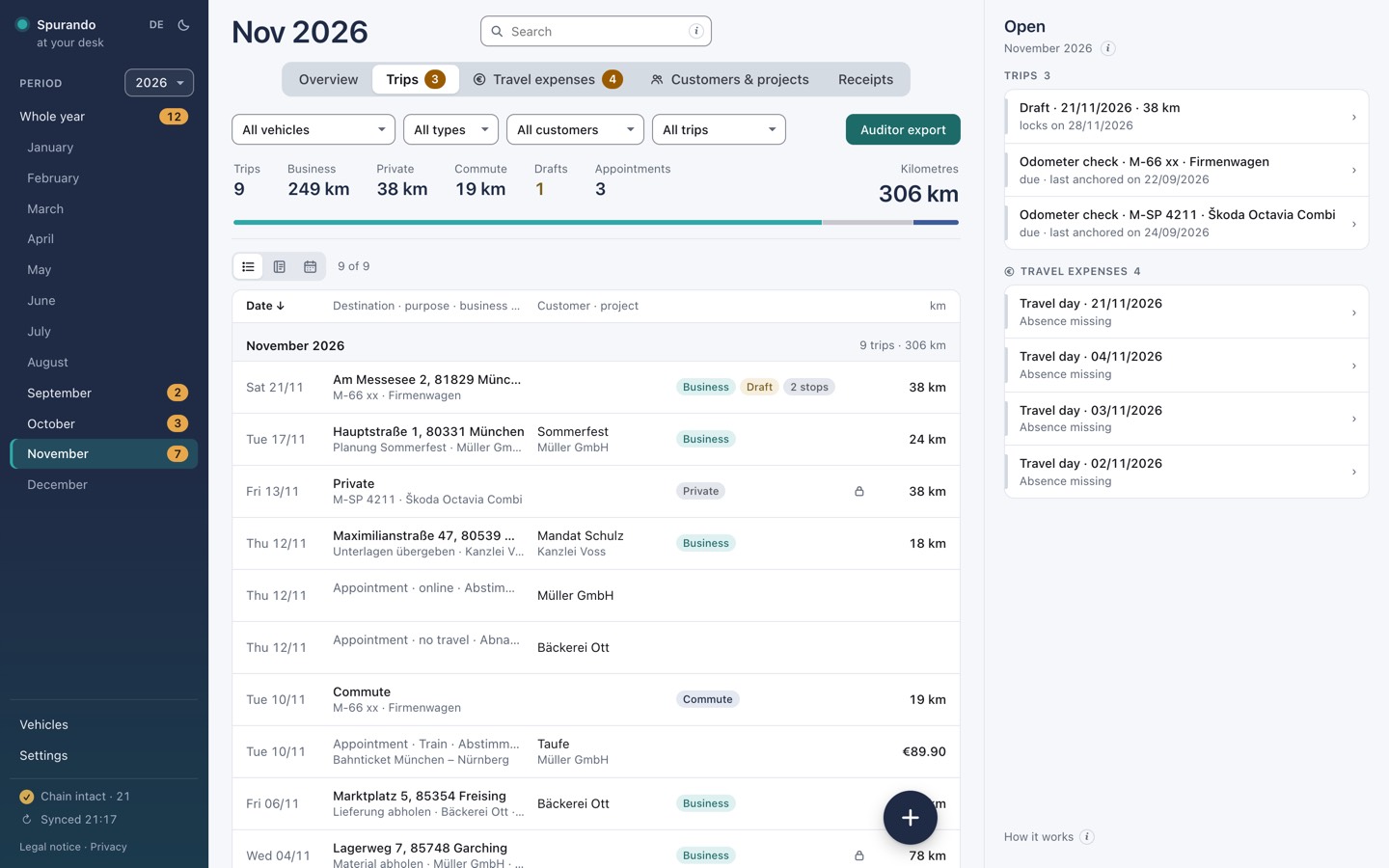
Trips. All trips of a month with totals and filters. The sidebar shows whether the chain is intact.
Filling in. What stayed open on the road, you add at your desk, such as business partner and purpose. The change stays visible as a correction.
Auditor export. The logbook for the tax office and your tax advisor, put together on the big screen.
Customers & projects. Customers and projects with an overview, if you bought the add-on in the app.
Travel expenses. The travel days of a month. Where an entry is still missing, it says so. Applies if you bought the add-on in the app.
Privacy in brief. End-to-end encrypted: the server only sees ciphertext. You do not need an account. You pair the browser with a QR code from the app, up to 5 browsers.
Only in the app. GPS recording, automatic mode, Bluetooth, workplaces and the purchase. Routes and timestamps cannot be changed in the browser.
What you need
Requirements and price.
- Spurando on Android, version 1.3 or later.
- Plus the “Spurando at your desk” subscription, taken out in the app.
- New subscribers try the subscription free first via Google Play. The app’s 14-day trial does not include Spurando at your desk.
- Add-ons from the app also work in the browser.
- A paired browser does not need a subscription of its own.
Launch price monthly
€4.99
Launch price yearly
€49.99
The subscription pays for the service, meaning server and sync. The logbook itself needs no subscription.
iPhone. The subscription arrives with the next update.
The app
Recording happens in the app.
Recording by GPS, automatic mode, the proof chain and export are described on the iPhone and Android pages.
iPhone Duo
Unfolded: list on the left, trip on the right.
On the unfolded iPhone Duo, Spurando uses both halves: your logbook on the left, the selected trip or receipt on the right. If you like, the list becomes a wide table. Folded, the app looks as it does on iPhone, with the tabs on the right.
Privacy
Your trips stay on your device.
No account, no ads, no tracking. No server of ours can read your trips.
Only a hash for the timestamp. For the timestamp token, nothing but an anonymous hash value leaves the device.
Sync via your iCloud. Optional and off by default. The data never leaves your iCloud account.
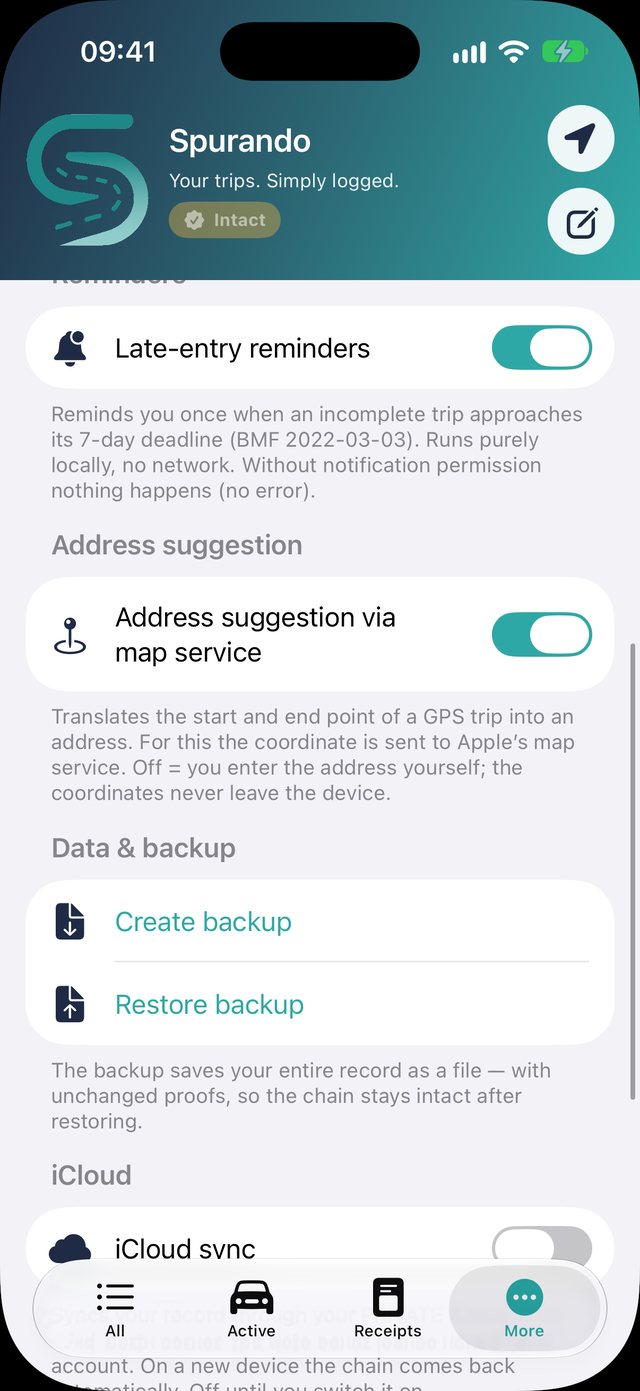
Sync via your Google Drive. Optional and off by default, in a hidden app file only Spurando can see. Sync also carries times, stops, how a trip was recorded and the reason for a late entry.
Spurando at your desk. Optional and off by default. End-to-end encrypted: the server in Frankfurt never sees content.
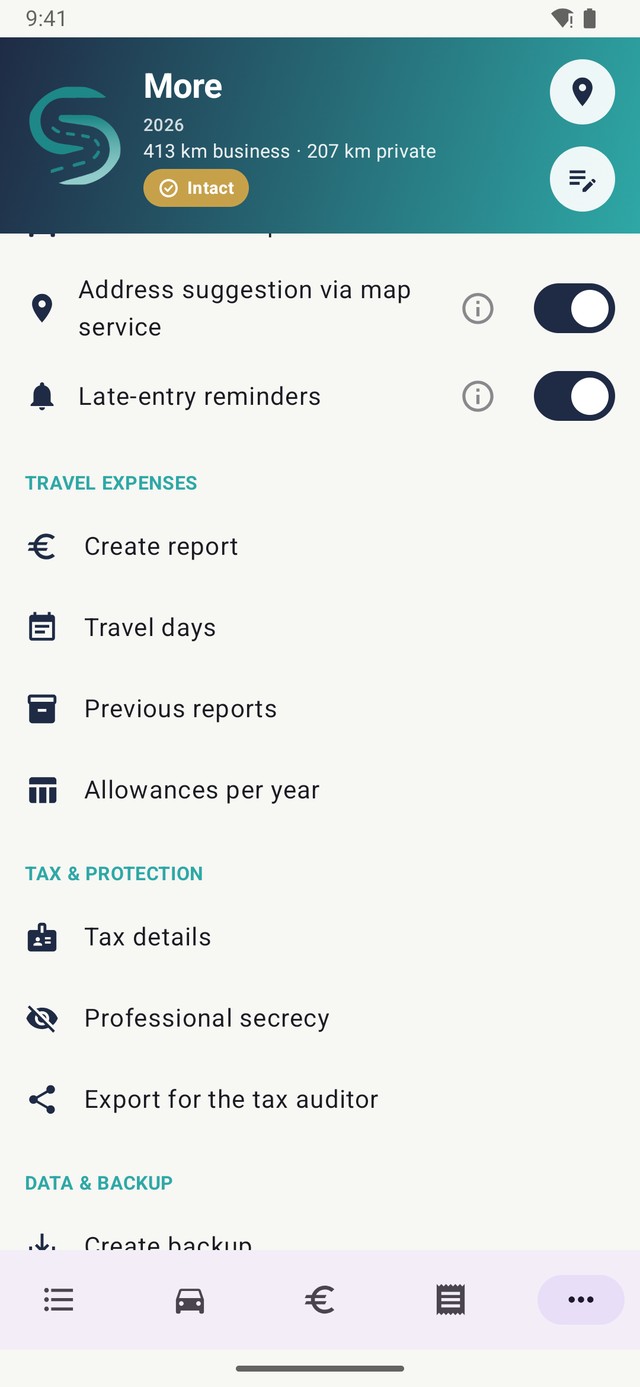
Every way out has a switch. Address suggestion, time anchoring and sync can each be turned off.
Backup whenever you like. As a file you store yourself.
Introductory price
€49.99
once · later €69.99 · no subscription
Spurando at your desk, your logbook in the browser on your computer, comes to iPhone as an optional subscription with the next update. Read more
Free to download
14-day trial
The whole app is free, add-ons included. Then the full version for €49.99 once (introductory price, later €69.99). The price in Google Play is the one that counts. More on the trial
Add-ons, one-time: travel expenses €9.99 · customers & projects €29.99 · field-service bundle with both €34.99. See the add-ons
Optional: Spurando at your desk, your logbook in the browser on your computer, as a subscription from €4.99 a month (launch price), with its own free trial for new subscribers. The logbook itself needs no subscription. Read more
Subscription logbook
€10–25 / month
Over three years that quickly adds up to €360–900, plus hardware with some providers.
instead of
Spurando
once
No ongoing costs for the logbook, no hidden fee for a second phone.


Who it's for
For anyone who takes their logbook seriously.
Self-employed people and freelancers who keep their own logbook.
Company-car drivers who keep a logbook instead of using the German 1% rule.
Professionals bound by confidentiality who need to protect client data.
Anyone who wants a reliable logbook, without being tied to a subscription and without giving away their trips.
FAQ
Answered briefly.
What does Spurando at your desk cost?
The subscription costs €4.99 per month or €49.99 per year at launch. You take it out in the app, on Android from version 1.3. New subscribers try it free first; Google Play shows the length of the trial before you subscribe. The app’s 14-day trial does not include Spurando at your desk. A paired browser does not need a subscription of its own. On iPhone the subscription arrives with the next update.
What does the server see?
Only ciphertext. The data is end-to-end encrypted and the key stays with you. There is no account; the browser is paired with a QR code from the app.
What does Spurando cost?
Spurando costs €49.99 once in the App Store as an introductory price, later €69.99, no subscription. Everything you record stays yours: viewing, correcting, exporting and backup are included. The price in the App Store is the one that counts.
What does Spurando cost?
Downloading is free, and for 14 days you use the whole app, add-ons included. After that you need the full version, a one-time purchase, for new trips: €49.99 as an introductory price, later €69.99. Viewing, correcting, exporting and backup stay free without a purchase. The add-ons cost €9.99 (travel expenses), €29.99 (customers & projects) or €34.99 as the field-service bundle, once. Spurando at your desk, your logbook in the browser on your computer, is an optional subscription; the logbook itself needs none. The price in Google Play is the one that counts. More on the trial · More on the add-ons
Will the German tax office accept a logbook from Spurando?
There is no official approval for logbook apps in Germany, for any app. The tax office decides case by case. Spurando is built around the known requirements: recorded continuously, changes visible, late entries flagged. We cannot guarantee acceptance. Read more · Guide: logbook and tax office
Do I need an account or an internet connection?
No. There is no account, and recording works offline. Spurando only uses a connection for the address suggestion, the timestamp token and sync, and all three can be switched off.
Can I change or delete trips afterwards?
Change yes, delete no. During the first 7 days you correct freely, after that only with a reason. Every change stays visible in the trip's history. How it works
Does Spurando track my location all the time?
No. Location is only used while a recording is running. If you record by hand, the app needs no location access at all.
What happens when I change phones?
A backup file moves everything, including receipts. With iCloud syncGoogle Drive sync, trips and vehicles come back by themselves. The record cannot be transferred between iPhone and Android. Read more
An honest note
Spurando makes your record traceable and verifiable. Whether a logbook is recognised for tax purposes is decided by the competent authority in each case. No recognition is guaranteed. The odometer readings remain the basis; GPS and automation are aids, not a substitute for your diligence.